Tileable Textures: UV Scaling and Visible Repetition
A tileable texture repeats indefinitely without a visible seam at the edges. UV scaling comes from object size divided by tile size – a 6-meter-wide wall using our 1.5-meter Cobblestone 01 tile needs a UV repeat of 4.
- Tile size example
- Cobblestone 01: 1.5 m per tile
- UV scaling
- Object size (m) ÷ tile size (m)
- Against visible repetition
- Rotation/offset, variation, decals, detail textures
- Terminology
- tileable – not 'seamless' as a product property
What "tileable" means
A tileable texture is built so its edges connect seamlessly to themselves: the left edge matches the right edge in color and structure, the top edge matches the bottom. Line up several copies side by side, and you get a continuous surface with no visible dividing line between tiles. That's exactly what separates a tileable texture from an ordinary photograph, whose edges usually don't match at all – a photo of a single stone wall shows a different section on the left than on the right, and placing two copies side by side creates an instant, visible break.
This property applies to every map in the set equally. Basecolor, normal, roughness, metallic, AO and height all have to line up seamlessly at the same spots, or the color might match at the edge while the normal map throws a visible seam there instead.
The tile size states how much real-world edge length one repeat of the texture covers. Our Cobblestone 01, for example, tiles every 1.5 meters – a single copy of the texture equals a 1.5 by 1.5 meter patch of paving before the pattern repeats.
For FS25 mods this isn't just a technical footnote: farmyards, barn walls and road surfaces in mods almost always consist of areas noticeably larger than a single texture tile. Without tileable textures, every surface would need its own individually resolved texture – at the surface sizes typical of FS25 farmyards, that would be neither memory-friendly nor practical to produce.
UV scaling: object size divided by tile size
For a tileable texture to appear at the correct real-world size on an object, the UV repeat has to match the object's size. The formula:
UV repeat = object size (m) ÷ texture's tile size (m)
An example with Cobblestone 01: the texture tiles every 1.5 meters. Apply it to a 6-meter-wide farmyard, and the UV repeat works out to 6 divided by 1.5, which is 4 – the texture needs to repeat four times in that direction for a single paving-stone pattern to look correctly sized, rather than stretched or squashed. On a 9-meter-wide surface, that would be 6 repeats instead.
A second example shows the formula applies the same way to any of our textures: a 4-meter-wide barn wall using our Cracked Concrete 01 (1.0-meter tile) needs a UV repeat of 4 divided by 1.0, exactly 4. With Oak Planks 01 and its 1.2-meter tile, the same 4-meter surface would instead need a repeat of 4 divided by 1.2, roughly 3.3 – in practice you usually round to a whole number of UV tiles so the tile boundaries line up exactly with the object's edges, even if that stretches or squashes the texture very slightly.
Use the wrong UV scale instead, say a fixed repeat of 1 regardless of object size, and the texture ends up looking unnaturally stretched on large surfaces and needlessly squashed on small ones. In Unity, every material carries its own Tiling and Offset fields, which the Unity documentation describes as separate per-axis values passed into the shader; in Blender, you set the same repeat either directly through the size of the UV island in the UV editor, or through the scale value of a Mapping node feeding the image texture.
Before the formula can be applied at all, the object's real-world size has to be established in the 3D program. If you build your mesh in Blender or in SketchUp first, both guides cover the steps for modeling in real meters instead of arbitrary units – only with a reliable real-world scale does the UV repeat actually produce the tile size you intended.
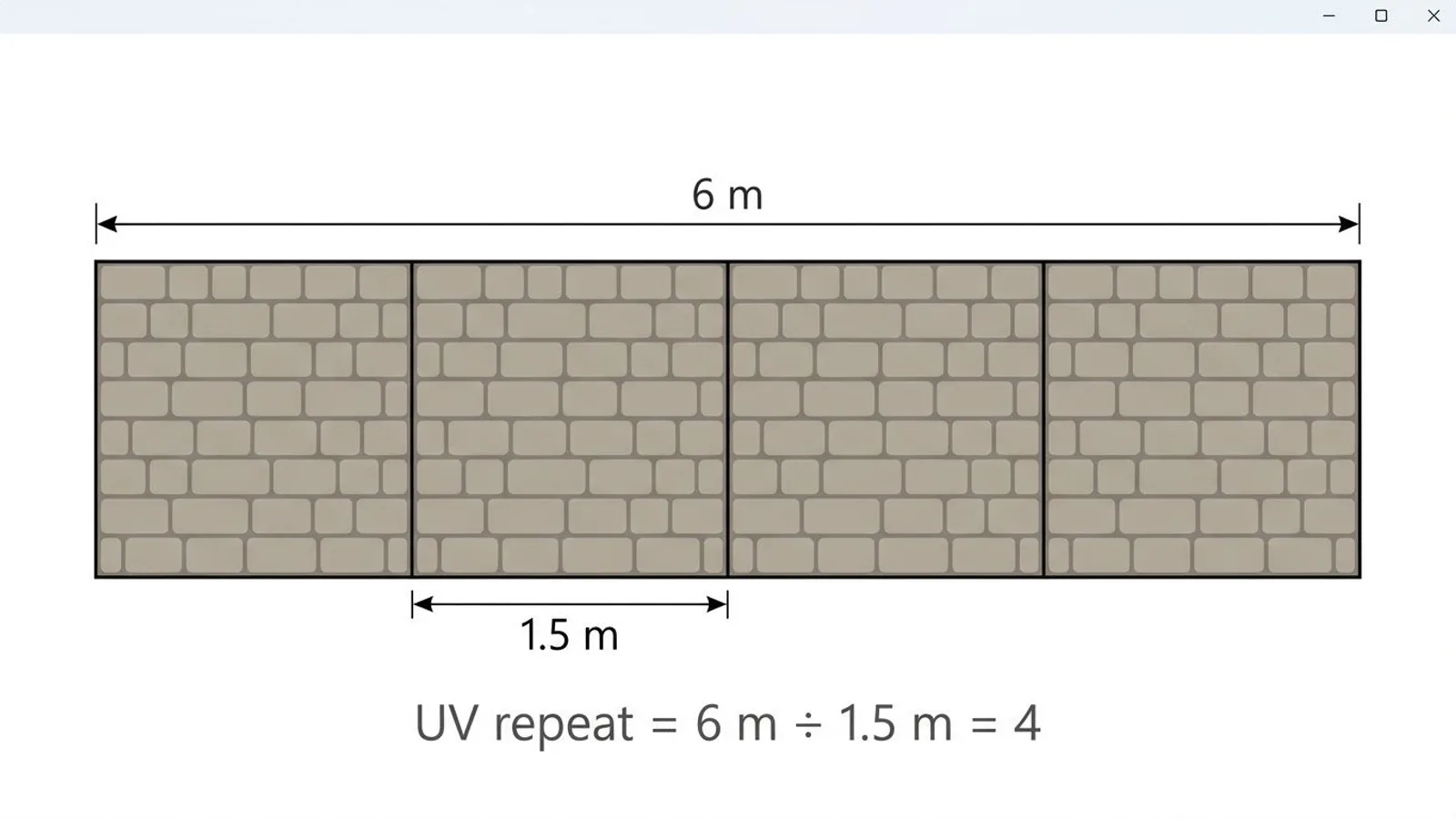 AI-generated
When repetition still shows
Even a technically flawless tileable texture can end up reading as a repeating pattern once enough copies sit side by side. The reason is simple: every tile is exactly identical, and one noticeable detail – a single crack, a dark stain, an unusually wide joint – shows up in the same relative spot every time it repeats. The human eye picks up on that kind of regularity even when any single tile, on its own, looks completely unremarkable.
How quickly that becomes obvious depends heavily on the subject. An even material like Cracked Concrete 01, with lots of small, similarly distributed details, tolerates more repeats before a pattern becomes visible than a texture with a few very distinctive elements. On a cobblestone texture like Cobblestone 01, for example, a single unusually light or dark stone stands out as a repeating element much faster than an evenly distributed field of similar-looking stones.
What helps
- Rotation or offset: Rotate individual tile instances by 90 or 180 degrees, or offset them against each other, so distinctive details stop repeating in a regular grid.
- Variation: Alternate between two or three similar but not identical textures, for example our Corrugated Metal 01 and Rusty Corrugated Metal 01 on neighboring wall sections.
- Decals: Layer extra, individually placed dirt, crack or stain decals on top of the base texture, so not every distinctive spot comes from the repeating pattern itself.
- Detail textures: Blend in a second, finer texture at a different scale on top of the base texture. Because it tiles at a different UV repeat, it masks the base texture's repetition pattern without creating a new, equally regular one of its own.
In practice, a single one of these fixes is usually enough for most FS25 mods. A large, evenly paved farmyard often already looks noticeably less repetitive from a simple 180-degree rotation of individual tile sections, with no extra textures or decals needed at all. Only on very large, continuously visible surfaces – a full barn floor, say – does the added effort of decals or a detail texture really pay off.
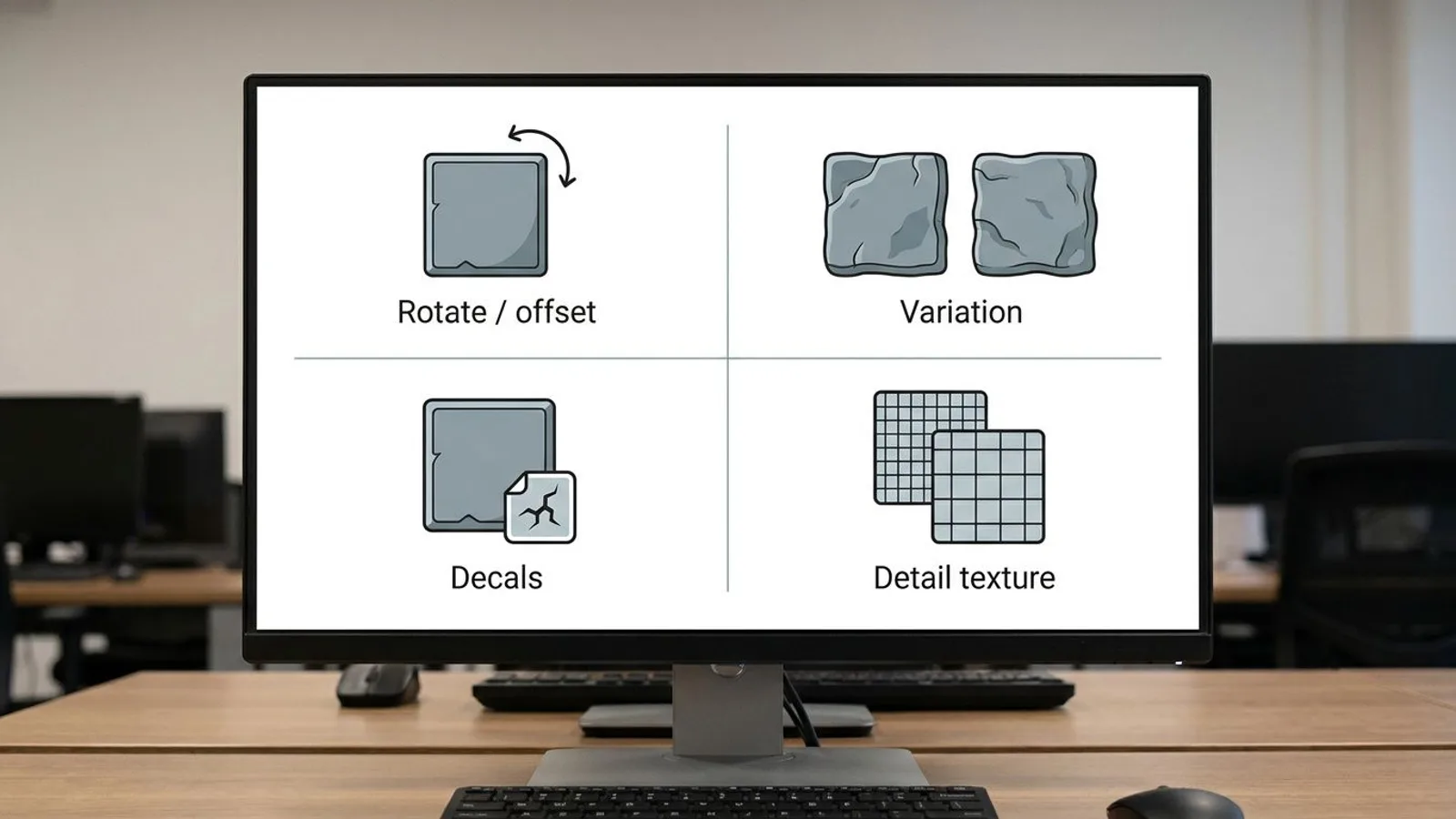 AI-generated
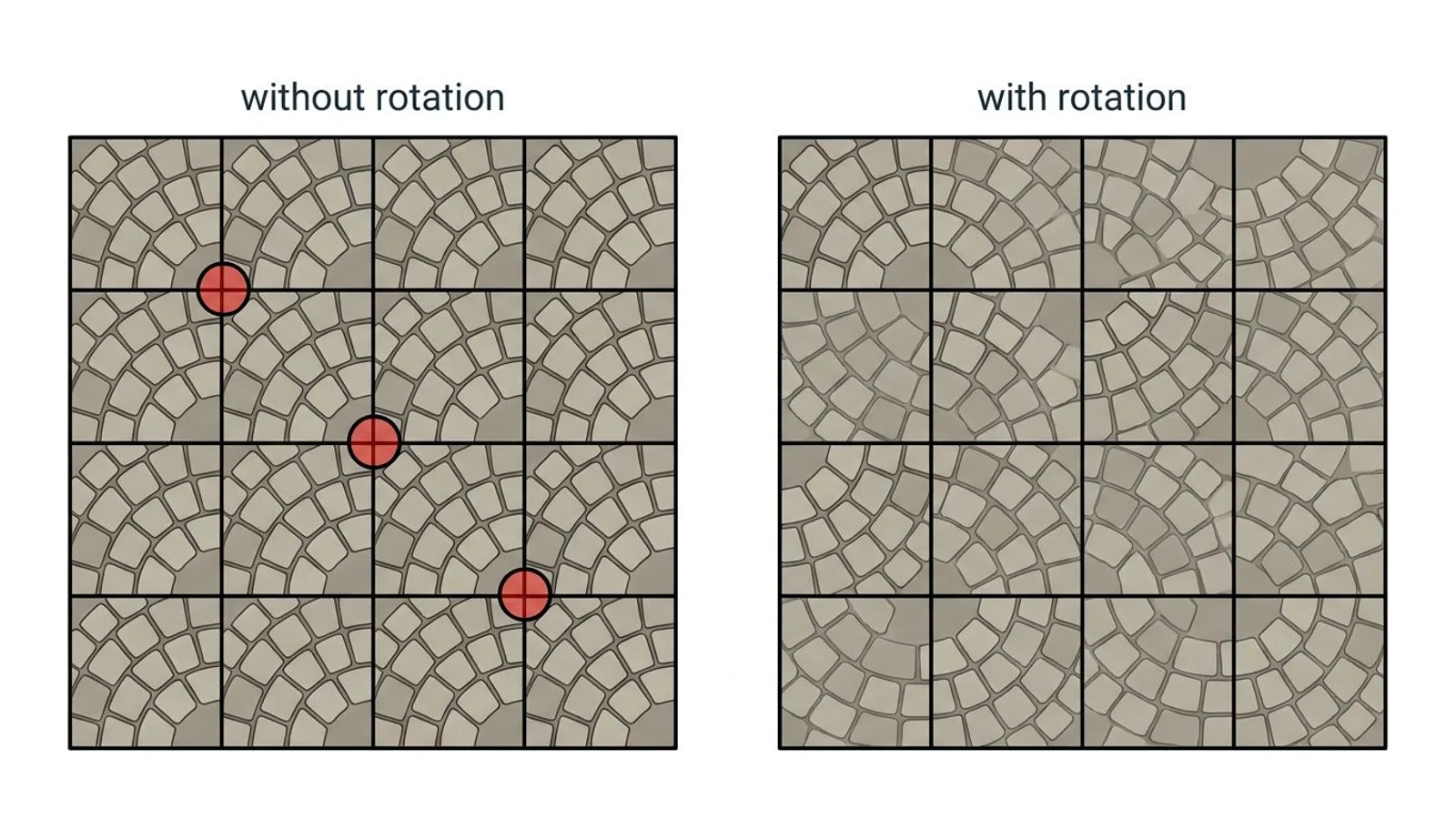 AI-generated
"Seamless" as a search term – and why we say "tileable"
People searching online for textures often type "seamless texture" – it's a widely used search term because it describes what they're looking for: a texture with no visible seam at the boundary. We deliberately avoid that word for our own products anyway. "Seamless" only describes the absence of a visible edge – "tileable" additionally describes what you actually do with the texture: cover a surface systematically with repeats, at a clearly defined UV scale. That usage is exactly what matters for our products, which is why we call them "tileable" throughout.
The distinction is more than wordplay. A texture can be technically seamless and still be a poor fit for a given tile size if its details don't match the intended object size – a very coarse stone pattern on a small surface, for instance. Tileability, for us, always includes both the absence of a seam and the question of the right tile size, which the earlier sections of this guide walk through.
Common problems
| Problem | Cause | Fix |
|---|---|---|
| Visible grid of repeats on a large surface | A distinctive detail keeps repeating in the same spot | Rotate or offset individual tiles, see the fixes above |
| Texture looks stretched or squashed | UV repeat doesn't match the object's size | Recalculate UV scaling with object size ÷ tile size |
| Seam visible at one edge despite a tileable texture | UV island mirrored instead of repeated at that edge, or multiple UV islands with mismatched orientation | Check UV orientation, avoid mirroring across a tile edge |
| Two neighboring objects look differently detailed | Mismatched texel density from inconsistent UV scaling | Align the UV scaling, see the texel density guide |
| Pattern still visible despite rotating some tiles | Only part of the tiles were rotated, the rest stayed in the same grid | Apply rotation and offset consistently across the whole surface, not just isolated sections |
Frequently asked questions
What does 'tileable' mean for a texture?
A tileable texture can repeat indefinitely, side by side and stacked, without a visible seam, color jump or pattern offset at the boundary between two tiles. The left edge of the texture matches the right edge exactly, and the top edge matches the bottom.
What's the difference between 'tileable' and 'seamless'?
In substance they describe the same result. 'Seamless' is mainly a common search term people type when looking for textures. We deliberately call our own products 'tileable' instead, because it more precisely describes what you do with them – covering a surface with repeats using a defined UV scale, rather than just hiding one seam.
How do you calculate the UV scale for a tileable texture?
Divide the object's real width or height by the texture's tile size. A 6-meter-wide wall with a texture that tiles every 1.5 meters needs a UV repeat of 6 divided by 1.5, which is 4.
Why does a pattern sometimes still show up on large surfaces?
Because every tile looks exactly the same. Even a technically perfect tileable texture shows a recognizable grid once there are enough repeats, as soon as one noticeable detail – a crack, a stain, a wide joint – keeps showing up in the same relative spot.
What helps against visible repetition?
Rotating or offsetting individual tiles by 90 or 180 degrees, blending in a second, similar texture, adding decals for individual details like cracks or stains, and layering a detail texture that tiles at a different scale than the base texture.