FS Modworks Membership for Farming Simulator Pro-Players
All FS25 Pro-Mods in one membership. Since July we've been building mods full time that FS25 never had: a dragline, a gold dredge, half-track tractors. We test every one of them in the game ourselves. As a member you get every member mod and its updates, from €4.97 a month, cancel monthly.
No adsNo ads anywhere on the site.
- months full time
- 4
- months full time
- mods, assets and packs
- 52
- mods, assets and packs
- working days on the Manitowoc
- 36
- working days on the Manitowoc
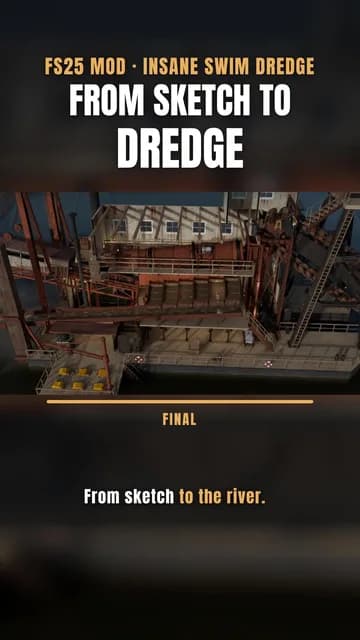
“thats awsome been waiting a long time for some1 to make and actual desent looking working dredge we be out there like tony beets lol”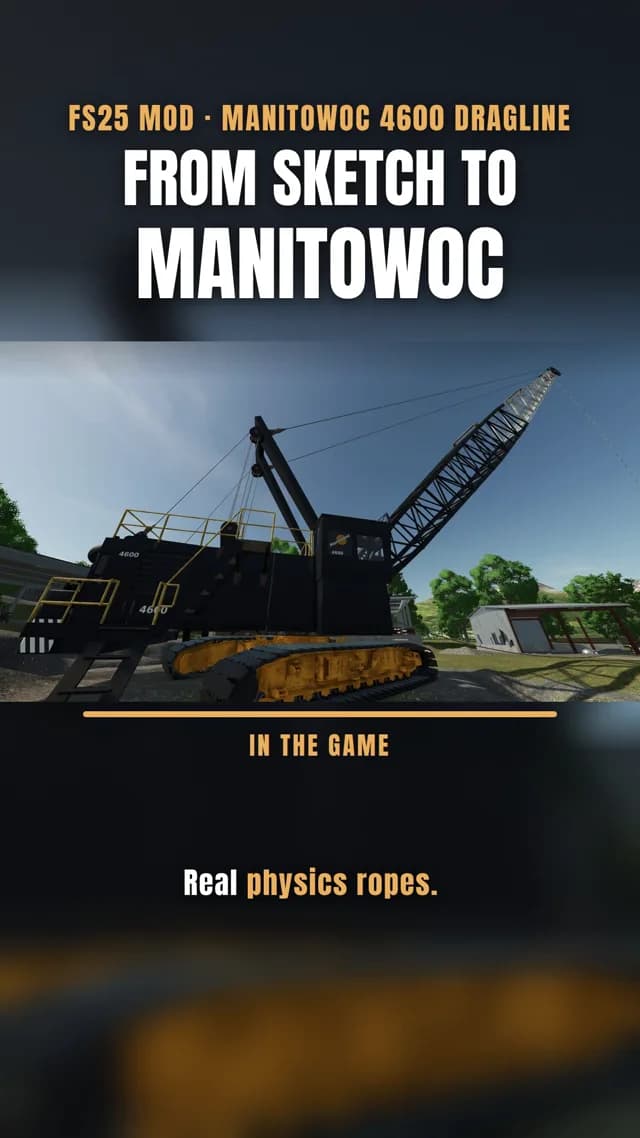

Loads from YouTube, Google gets your IP.
The tiers
Same member mods, different term — the tier name is your badge in the forum. Magister and Fundator add their own editions.
Faber
€4.97
/ 1 monthNo adsNo ads anywhere on the site.
All benefits, for 1 month.
Faber is your rank badge in the forum and on your profile.
Flexible start — try it for one update cycle.
Choose payment
Artifex
€8.47
/ 3 months≈ €2.83 / month
−43 % vs. monthlyNo adsNo ads anywhere on the site.
All benefits, for 3 months.
Artifex is your rank badge in the forum and on your profile.
More runtime — follow several drops as they land.
Choose payment
Magister
€27.47
/ 12 months≈ €2.29 / month
−53 % vs. monthlyNo adsNo ads anywhere on the site.
All benefits, for 12 months.
Magister is your rank badge in the forum and on your profile.
A whole year in the pit, all drops included.
Choose payment
Fundator
€197.00
/ lifetimeFounder price for the first 100 only, the price goes up after that.
No adsNo ads anywhere on the site.
All benefits, forever.
Fundator is your rank badge in the forum and on your profile.
Fundator only
- PGA 3D ASSET Claude Skill
- FSMW Editor MCP
Decide once, never renew. And help steer: your own Fundator area on Discord, a vote on the roadmap, and the dev call with Die-Fritte every four weeks.
Choose payment
Rather help without a subscription? Make a one-off donation, it counts towards the progress just the same.
Pay with PayPal or through Fungies, our payment partner, by card, Apple Pay, Google Pay and other methods depending on your country. As soon as the payment is confirmed, your membership starts automatically.
Who's behind this
I'm Tommy, FrittePlayz on YouTube. Mining Layers started as a test of whether mining layers could work cleanly in FS25 at all. Now it's full time. Yes, we code with AI. We still test in the game: in the excavator until the layer breaks in the right place, and in multiplayer until nothing gets stuck. That takes time, and the membership pays for exactly that time.
What you get
Free account next to membership, with the mods by name — and what you only get from Magister or as a Fundator.
| Free accountyou are here | Membership |
|---|---|
| Mods | |
Statement · Die Fritte Four months full-time, and why this doesn't go on without youWhat has been built since September, how much work goes into a single mod, and why I'm asking for your support. Read post → |
Tier extras
|
| All 3D assets | |
sold separately from €2.47 — Kengai Bonsai free (incl. VAT) |
|
| No ads | |
| not included | included |
| Forum and support | |
| included | included |
| Download keys | |
| for the free mods | for every mod |
| Early access and beta builds (from Magister) | |
| not included | included |
| Discord — behind the scenes, polls, pre-release builds from Magister | |
| not included | included |
| Your name in the credits | |
| not included | included |
| Price | |
| €0.00 | from €2.29 a month on the yearly plan, €27.47 a year · Lifetime once €197.00 |
Every paid tier includes everything in the Membership column — the extras from Magister and for Fundators are listed there. Pick a tier
Members only
Our Discord
The server is part of the membership — no open link, no drive-by traffic. Everyone inside chips in, and that is exactly why things happen there that happen nowhere else.
Your role on the server
- FaberM1
- ArtifexM3
- MagisterM12
- FundatorLifetime
The role matches your tier and shows on the server — Fundators in gold, every other member in teal.
What happens there
- Behind the scenes: what is being built before anyone else sees it
- Mod polls: you vote on what comes next
- Pictures from the build — renders, screens, work in progress
- From Magister: pre-release builds to test, one channel per mod (Epiroc, Gold Trader V1, Manitowoc 4600)
On top for Fundators
- Your own Fundator area on the server
- A vote on the roadmap
- Dev call with Die-Fritte every four weeks
Membership questions
Mods are usually free. Why does the FS Modworks Membership cost money?
Mining Layers, Dig With Anything, the Gold Trader and more stay free, for everyone. The big mods like the Manitowoc, Swim Dredge or Monarch each took weeks of full-time work. The membership pays for that time so the next mods get built at all.
What happens after the first month of the FS Modworks Membership?
It renews for another month at the same price until you cancel. You can cancel any time before the paid period ends, even without logging in, via “Cancel contracts here” in the footer.
Why are FS Modworks mods only on fsmodworks.com?
We found Mining Layers with altered code on shady download portals that were making money from it. That's why our mods are only here, with a download key.
Can I support FS Modworks without a subscription?
Yes. With the funding bar you can give once, no contract and no renewal.
What the membership gets you
The Director’s Cut does not arrive as one big release but in steps — one after another, in this order. No dates: a step is done when it holds up in game.
Mining Layers V2 Director’s Cut — the steps in detail
Test drilling and core samples
Up nextBefore you dig, you drill. The core shows which layers sit at that spot and how thick they are. The map stays hidden until you look.
Details
- A test hole with the Epiroc PV-235 E brings a core sample up out of the ground.
- The core shows the layers at exactly that spot and how thick each one is.
- Every hole lands as a point on the map. Over time that adds up to your own survey map.
Material hardness and caprock
PlannedRock does not dig like dirt. A cap layer sits above the seam and has to come off first — and that costs time, not just a click.
Details
- Every material gets a hardness — rock digs slower than dirt.
- A cap layer sits above the seam and has to be stripped first.
- Depth costs time and fuel instead of just a click.
Drill and blast
PlannedNo bucket gets through hard rock. The Epiroc PV-235 E drills the pattern, then it gets charged and fired. After that there is loose muck, and the excavator has work again.
Details
- Hard layers can no longer be dug straight away.
- The Epiroc PV-235 E drills the pattern, then it gets charged and blasted.
- The blasted area is loosened and digs like loose material again.
Yield
PlannedNot every layer pays the same. Thin overburden, rich seam — the number on the bucket tells you whether the depth is worth it.
Details
- Every layer has its own yield per cubic metre.
- Thin overburden, rich seam — that turns depth into a decision.
- The number is on the bucket, not in a table.
Editor extensions
PlannedThe map report moves onto the layers page, plus the small things that save time while setting up. No showpiece — just what you touch daily.
Details
- The map report sits on the layers page instead of only in the log.
- The small things during setup that cost time on every single map.
- No showpiece — just what you touch every day while building.
Oil package
PlannedDrill rig, pump and tanker. Oil has never existed in Farming Simulator 25 — below is how it is meant to arrive.
Details
- Three machines: drill rig, pump and tanker.
- Oil has never existed in Farming Simulator 25 — there is no template for it.
- Two routes there, both planned — they are right below.
Path A — oil sand from the pit
- Mining Layers gets a bottom layer OILSAND, below the seam.
- You dig it like any other material and haul it with the dump truck.
- An extraction plant turns it into crude oil.
- The crude goes into the chain the game already has: refinery, then diesel.
This is the nearer path: one material slot, one texture, one production placeable — no new mechanic.
Path B — drill instead of dig
- Mining Layers gets a layer type “reservoir” at a given depth.
- You do not dig it, you drill it: the rig stands on the spot and drills down to depth.
- Once the hole sits, a production site appears there.
- It feeds the same oil chain as path A.
That is what the drill rig already listed as “Coming up” is being built for — the same model is meant to pre-drill rock later, too.
Mixed bucket and FSMW Grizzly Machine
PlannedOne bucket, several materials — and the FSMW Grizzly Machine, which separates the mix again. The biggest piece of the series.
Details
- The bucket keeps a ledger of every material taken across a layer boundary.
- It dumps as a mixed material that the FSMW Grizzly Machine separates again.
- The FSMW Grizzly Machine: a feed hopper with a vibrating chute and a grizzly grate. Coarse material stays on the grate, the soil drops through.
- The biggest piece of the series: its own plant, its own ground slot, seven languages.
Dig With Anything — the versions in detail
1.0.25BuiltTool collision can be switched off2026-10
Buckets, blades and grabs dig without bumping if you want them to. Plus patch 1.24 and the key in your mods folder.
- 1.0.23: Your Download Key is also found in the folder the game loads your mods from, for example with the FSG Mod Assistant.
- 1.0.24: Works again with Farming Simulator 25 patch 1.24.
- 1.0.25: Tool collision while digging (ESC > Dig With Anything, right column), On by default. Switch it Off and buckets, blades and grabs stop bumping into the ground while TerraFarm is active; machine body, boom and arm keep their collision.
- Fixed: locomotives, combines, wheel loaders, dump trucks and drill rigs were treated as rollers, and the log filled up with "Unable to get type 'nil'".
1.0BuiltFirst full release2026-09
Free with a Download Key: trucks and trailers become TerraFarm-capable automatically, and rollers smooth along.
- Tipper profile: trucks and trailers without their own TerraFarm entry become TerraFarm-capable automatically and can be switched off per vehicle on the ESC page.
- The ESC list answers first whether a tool works with TerraFarm and who provides it, with filters, a search box and an X key for tools hanging from a hook.
- Rollers and compactors get a TerraFarm profile to flatten, smooth and paint, with the drum width measured from the mod itself.
- In-game texts in English, German, French, Spanish, Italian, Polish and Portuguese.
0.3.7BuiltMod machines recognised2026-08
Machines from mods that bring their own vehicle type are recognised at last — and carriers no longer clutter the list.
- The scan used to look up the bare type name and walked past mod vehicle types.
- An excavator undercarriage never becomes a machine — only the tool on it does.
0.3.6BuiltSaying why nothing happens2026-08
The most common support case is silence: the tool does nothing and does not say why.
- A status line on the selected tool names the reason and the next step.
- Newly generated configs are on by default from now on — no more enabling them by hand.
- The marker on the tool can be switched off, for footage without symbols in frame.
0.3.5BuiltThe build you can download2026-08
Everything from 0.1 to 0.3 together — the current supporter build.
- Registrar, grapple zones, material loss, markers, menu page, automatic grapple detection.
- Tested on Tommy's savegame with FS Miner's machine pack and barge.
0.3BuiltGrapples get detected2026-08-23
DWA works out by itself whether a tool has jaws — instead of a curated list.
- A tool counts as a grapple when it has a controllable jaw with enough travel.
- Which end stop means “closed” is learned in game from the fill level.
- Buckets and blades get their marker too.
0.2BuiltMenu page and every tool2026-08-22
Its own page in the game menu — and tools that register themselves.
- A “material loss while slewing” setting: normal or realistic, saved per savegame.
- The store scan walks every installed tool and writes the missing TerraFarm configs itself.
- Foreign configs always win — whatever another mod already set up, DWA leaves alone.
- Shipped configs are on and can be switched off; self-detected ones have to be enabled.
0.1BuiltGrapples that actually grab2026-08-21
The jaws decide what happens: open to dump, half to grab, closed to hold.
- Material is picked up only while closing, held with the jaws shut, and dumped only over the target.
- Slewing spills material — visible as a trickle at the grapple, not just a number.
- What spills lands in the barge or truck below if there is room, otherwise on the ground.
- A small marker at the grapple itself shows which of the three states it is in.
Paying with PayPal or through Fungies
With PayPal you buy directly from us, and the invoice is in your account afterwards. Through Fungies, Fungies is the official reseller (merchant of record), handles the taxes and emails you the invoice. Either way your membership starts automatically once the payment is confirmed. Subscriptions renew in the cycle you chose until you cancel.
Cancelling and refunds
You can cancel any time via “Cancel contracts here”, no login needed. Cancellation takes effect at the end of the paid period, and everything stays unlocked until then. Request a refund within 14 days of purchase by email to contact@fsmodworks.com.