Texel Density: Formula, Table, Rules of Thumb
Texel density measures how many texture pixels cover one meter of real surface area (px/m) – resolution in pixels divided by tile size in meters. Our Oak Planks 01 (1.2 m tile) works out to roughly 3,413 px/m at 4K.
- Formula
- Texel density = resolution (px) ÷ tile size (m)
- Our range
- 1,365–11,977 px/m, depending on texture and resolution tier
- Example texture
- Oak Planks 01, 1.2 m tile
- Reference
- Foundry Modo documentation, Beyond Extent
What texel density measures
Texel density describes how many texture pixels – texels – cover one meter of real surface area, usually expressed as pixels per meter (px/m) or pixels per centimeter (px/cm). Foundry's own Modo documentation defines the tool accordingly: it scales UV islands so they occupy a set number of texture pixels per meter of real-world size, giving the example of a texel density of 512 pixels per meter, which needs a 1-meter real size to span 2 UV units on a 256×256 texture, but only half a UV unit on a 1024×1024 texture. Resolution alone doesn't tell you anything about perceived sharpness – only in relation to the surface it's applied to does it become a number you can actually compare across textures.
For us, as a seller of tileable textures for FS25 mods, that matters because our five textures each have a different tile size. A 4K texture isn't automatically sharper than another 4K texture once both get applied to surfaces of different sizes.
Texel density automatically applies to a texture's entire map set, not just one image. Since basecolor, roughness, metallic, AO, height and the packed ARM map all share the same UV mapping, as described in the PBR textures guide, one texel density calculation covers the whole set.
The formula
The calculation is a simple division:
Texel density (px/m) = texture resolution (px) ÷ tile size (m)
A 2048-pixel texture with a 1-meter tile size works out to exactly 2048 px/m. Double the tile size to 2 meters, and texel density halves to 1024 px/m – with the file resolution unchanged, the same pixels now spread over twice the surface.
The order of these steps matters: the real tile size comes first – for us, it's fixed by the texture's UV layout – and the matching resolution gets chosen afterward. Pick a resolution first and slap some arbitrary tile size onto the model afterward, and the resulting texel density ends up more accidental than planned. If you're building your model in SketchUp first, the SketchUp guide covers the steps for getting a real, correct tile size – without a reliable real-world scale in your 3D software, the formula above can't be applied cleanly at all.
Our values, worked out
The table below shows the texel density of all five of our tileable textures at all three resolution tiers, calculated with the formula above and rounded to whole pixels per meter with python3:
| Texture | Tile size | 2K (2048 px) | 4K (4096 px) | 8K (8192 px) |
|---|---|---|---|---|
| Cracked Concrete 01 | 1.0 m | 2,048 px/m | 4,096 px/m | 8,192 px/m |
| Oak Planks 01 | 1.2 m | 1,707 px/m | 3,413 px/m | 6,827 px/m |
| Rusty Corrugated Metal 01 | 0.988 m | 2,073 px/m | 4,146 px/m | 8,291 px/m |
| Cobblestone 01 | 1.5 m | 1,365 px/m | 2,731 px/m | 5,461 px/m |
| Corrugated Metal 01 | 0.684 m | 2,994 px/m | 5,988 px/m | 11,977 px/m |
Corrugated Metal 01 stands out: with a tile size of only 0.684 meters, it already beats every other texture on this list at 2K, even compared to their 4K values. Applied across a large barn wall, it often lets you drop a resolution tier lower than you would with Cobblestone 01 and its much bigger 1.5-meter tile, without the perceived sharpness suffering.
Oak Planks 01 makes the principle easy to see: the texture tiles every 1.2 meters, noticeably coarser than Cracked Concrete 01's 1.0-meter tile. At the same file resolution of 4096 pixels, Oak Planks 01 only reaches about 3,413 px/m instead of 4,096 px/m – not because the file is smaller, but because the same pixels spread over a larger real-world area.
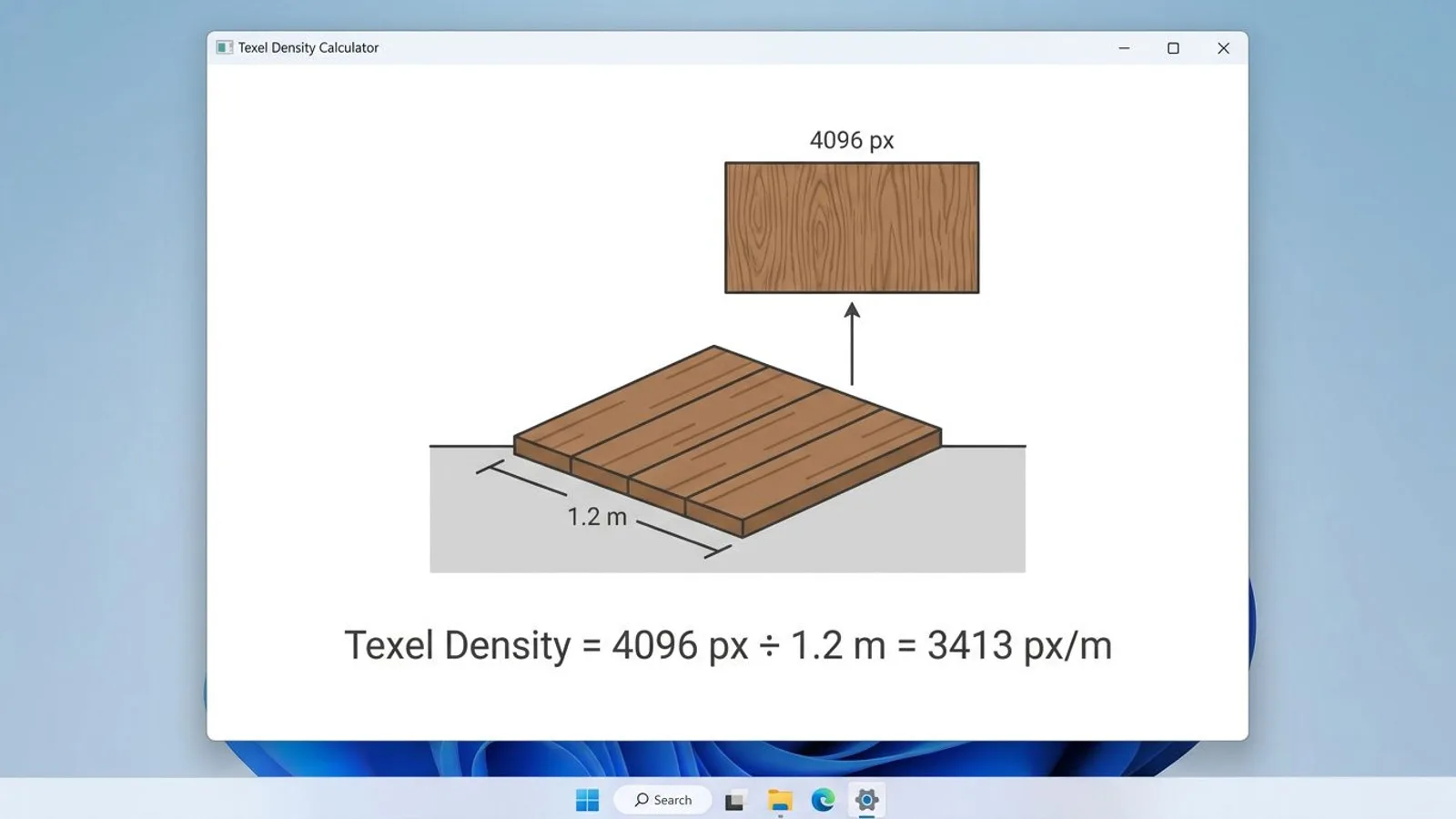 AI-generated
Checking texel density inside 3D software
Doing the math by hand works fine for a single tiled surface, but it gets impractical once a model consists of many differently sized surfaces. For exactly that case, Beyond Extent's texel density guide lists common tools: Blender has a widely used add-on called the "Texel Density Checker," and Maya ships its own texel density function built directly into the UV Toolkit. 3ds Max, on the other hand, has no native texel density tool – widely used free third-party scripts such as the "Texel Density Tool" MaxScript fill that gap instead. All of these run essentially the same formula as above, just automatically per UV island, usually with the option to normalize several objects to one shared target value.
Rules of thumb – and why they only apply loosely
There's no universal target number for "good" texel density, because it depends on the camera distance in the game in question. Environment artist Timothy Dries, of Beyond Extent and Playground Games, writes in his texel density guide that first-person games need the highest texel density because the camera sits closest to the geometry, third-person games need somewhat less, and top-down games, with the greatest camera distance, need the least. For personal or portfolio projects, the same guide names roughly 2,048 px/m (20.48 px/cm) as "more than enough," paired with the advice not to reach for 8K or 16K just because it's possible.
FS25 is played mostly from a camera noticeably further from the geometry than in a first-person shooter, but closer than in a purely top-down game – closest, in practice, to a third-person perspective. For surfaces players regularly see from just a few meters away, such as facades on walkable farmyards, our 4K tier is usually the right call; for background surfaces or large roofs rarely seen up close, 2K is often plenty.
Relation to camera distance
The closer the camera gets to a surface, the more screen pixels each texel covers – and the sooner a texel density that's too low shows up as blur. On a surface players never see up close, such as a barn roof only visible from the road, a lower texel density goes unnoticed because the texture renders small on screen anyway. So the question worth asking before picking a resolution is always: how close does the camera normally get to this particular surface in the game?
The same logic runs the other way for walkable interiors, say inside a custom-built farmyard building: if the camera sits permanently just a few meters from a wall there, the higher texel density of the 8K tier pays off more than it would on an exterior facade usually only seen while driving past. There isn't one correct resolution per texture, only a resolution that fits the use.
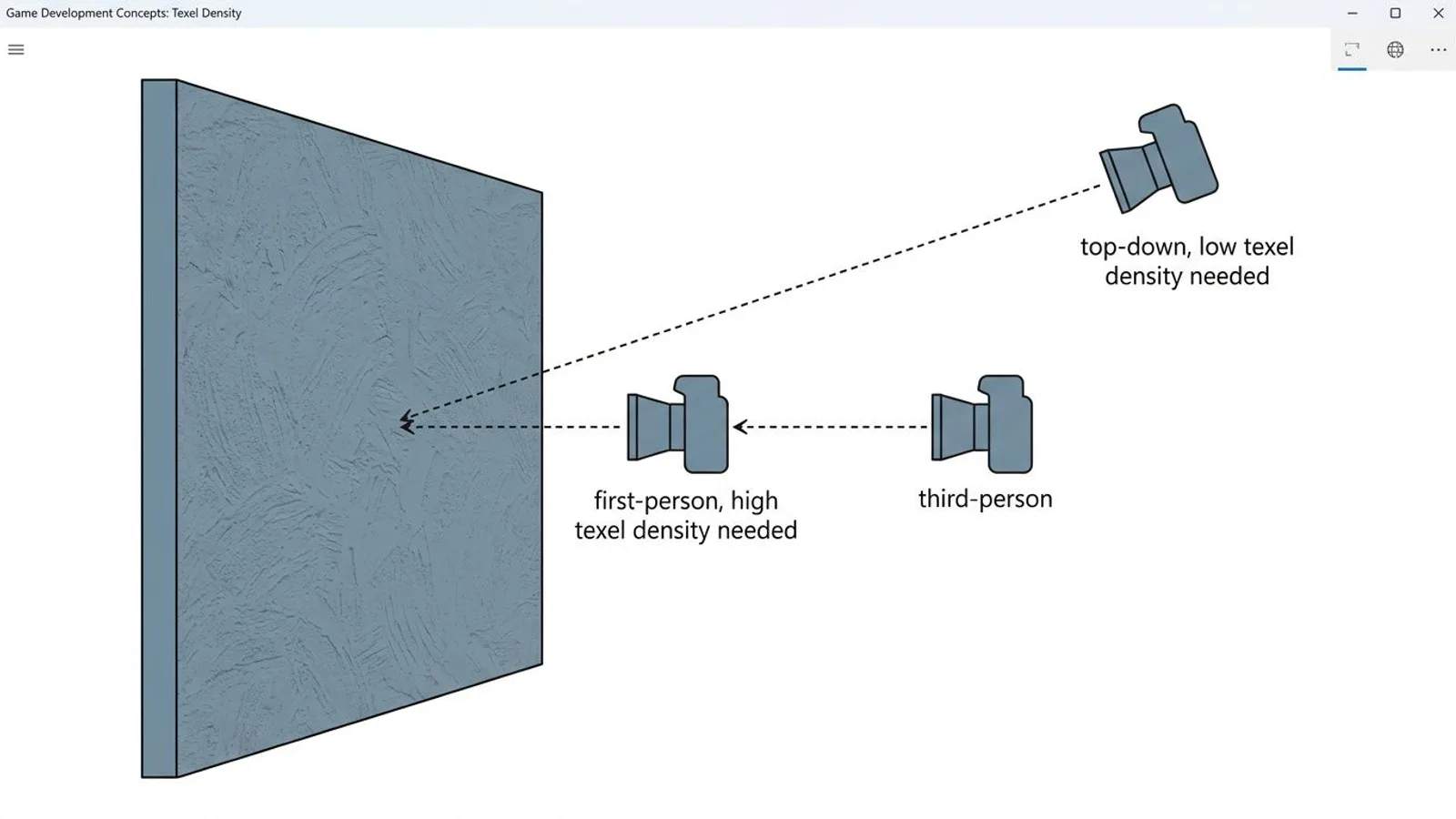 AI-generated
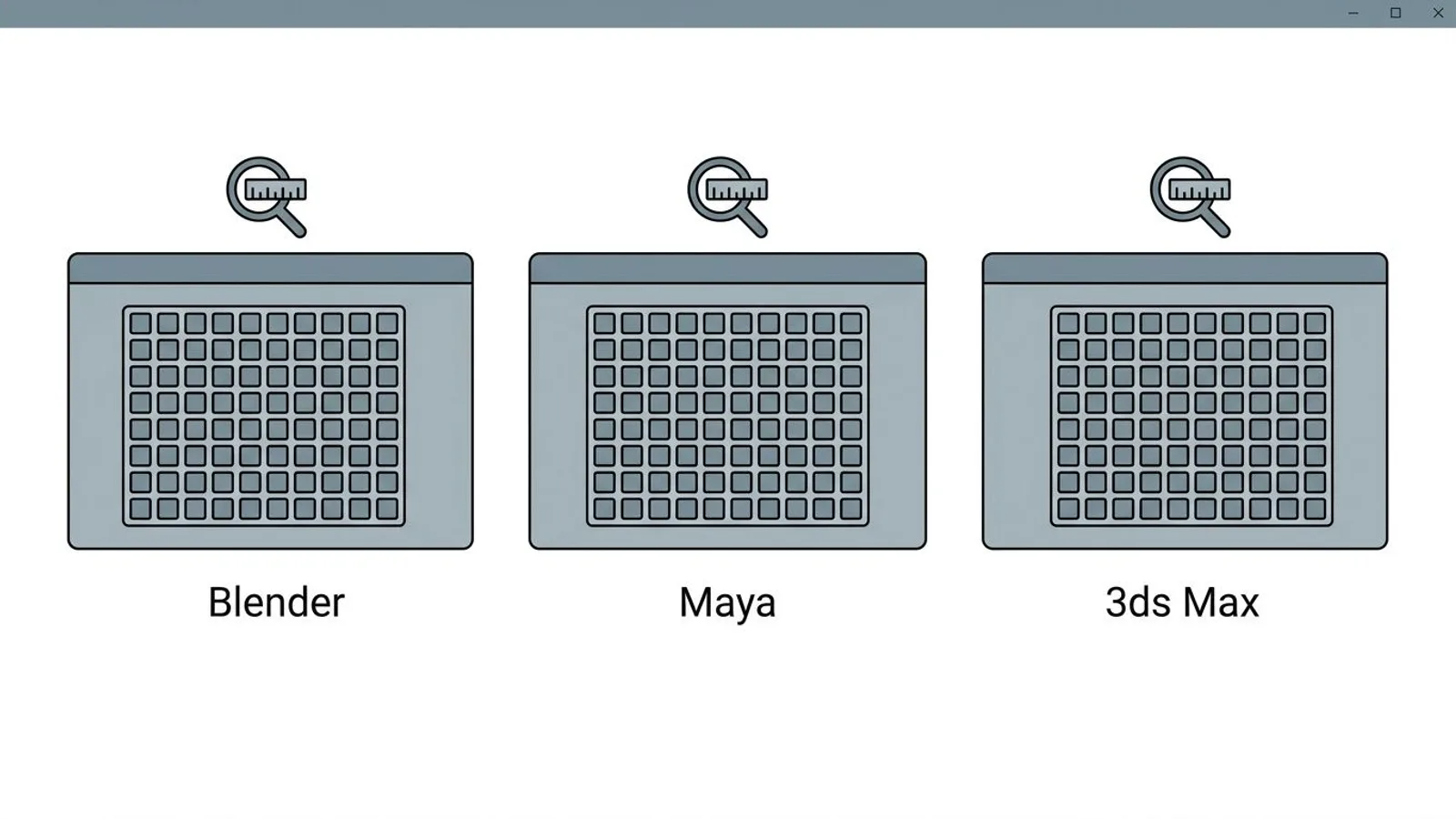 AI-generated
Common problems
| Problem | Cause | Fix |
|---|---|---|
| Texture looks blurry at normal viewing distance | Resolution too low for the chosen tile size and camera distance | Pick a higher resolution tier or adjust the surface's tile size |
| GPU memory fills up fast despite fewer objects | 8K used on surfaces the camera never approaches | Reduce resolution to match actual camera distance, see the table above |
| Two neighboring surfaces look differently sharp | Mismatched texel density from inconsistent UV scaling between objects | Align the UV scaling, see the tileable textures guide |
| Wrong expectations about a texture's sharpness | Resolution compared without accounting for tile size | Always compare px/m, not raw file resolution |
Frequently asked questions
What exactly is texel density?
Texel density is the ratio of texture pixels to real surface size, usually given in pixels per meter (px/m). It tells you how sharp or how blurry a texture will look on a surface of a given size, independent of the raw file resolution.
How do you calculate texel density for a tileable texture?
Divide the texture's resolution in pixels by the tile's edge length in meters. A 4096-pixel texture with a 1-meter tile works out to 4096 px/m, while the same texture on a 2-meter tile only reaches 2048 px/m.
What texel density do I need for FS25 mods?
It depends on the typical camera distance. For surfaces players see up close, such as walls or facades on walkable buildings, our 4K or 8K downloads usually make sense. For distant background surfaces, 2K is often enough.
What happens with texel density that's too low or too high?
Too low, and a texture looks noticeably blurry at normal viewing distance. Too high, and it wastes GPU memory and load time without the extra detail ever being visible at the camera distance the surface is actually seen at.
Why do our five textures produce different px/m values at the same resolution?
Because each texture has a different real-world tile size. Corrugated Metal 01 tiles every 0.684 meters and reaches roughly 5,988 px/m at 4K, while Cobblestone 01, with its 1.5-meter tile, only reaches roughly 2,731 px/m at the same resolution.