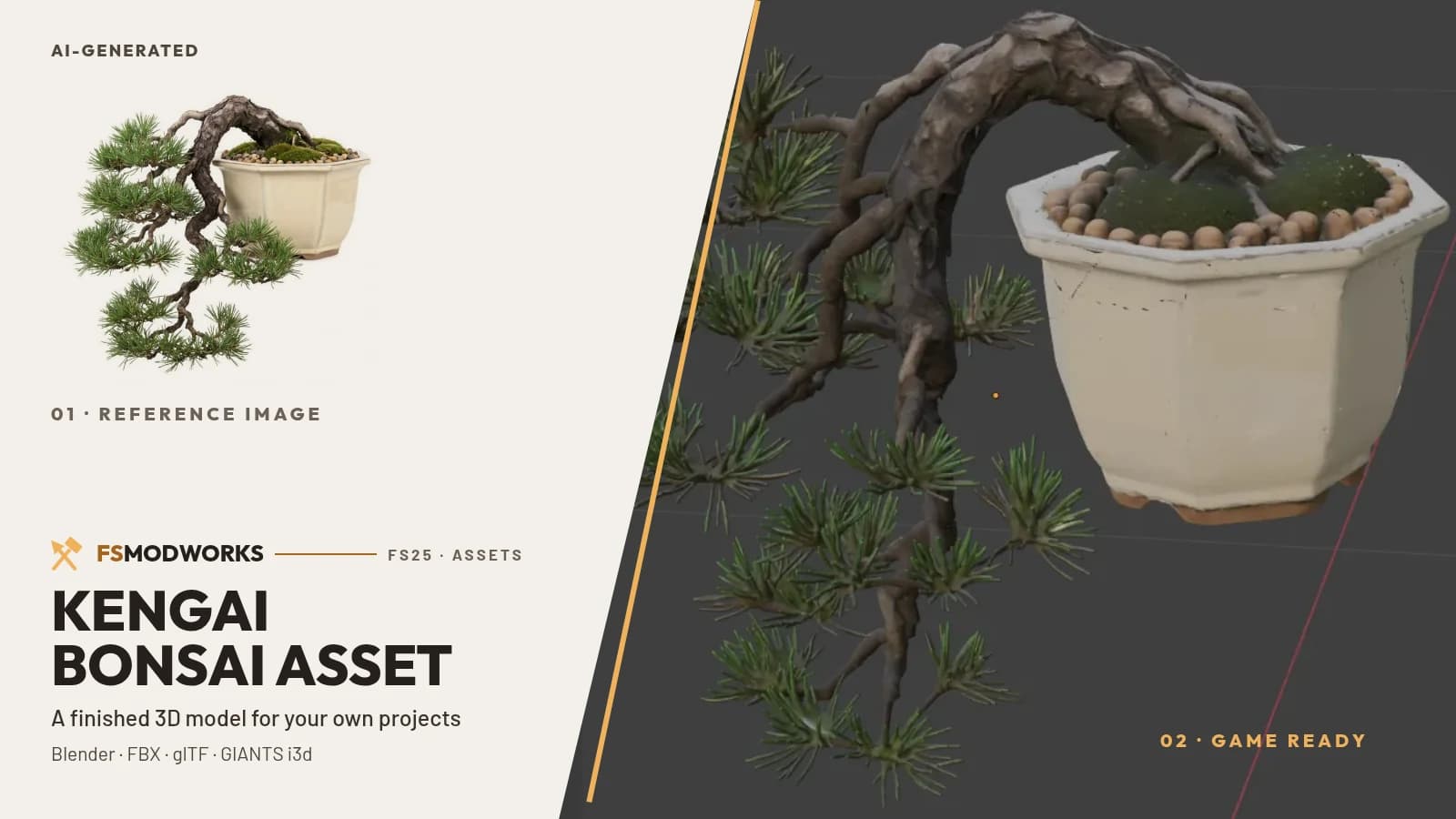
Model AI-generated (reference image and mesh), reworked in Blender. The reference image on the left of the cover is AI-generated; the right half is a Blender screenshot of the finished model.
What do I get with the Cascade Bonsai?
Two downloads of the same model, free: a 3D package (Blender, FBX, glTF with 2K PBR textures) that opens in any 3D software, and a GIANTS Editor package (i3d plus DDS textures) you merge into your own FS25 map or mod. 310,343 triangles, 0.40 m at its longest. You may use it in your own published work, including commercially, as long as FS Modworks is credited.
The model in 3D
It turns on its own. Drag it to stop and turn it yourself.
What this asset is
Two packages, one model
The same bonsai comes in two forms, and which one you want depends on where it is going. The 3D package is the general one: Blender file with packed textures, FBX, and glTF with its textures in a folder next to it. Anything that reads FBX or glTF reads this — engines, viewers, other Blender projects.
The GIANTS Editor package is the narrow one, for people building an FS25 map or mod. It holds the i3d with the shapes and a single collision box around pot and trunk, plus the three DDS textures. Deliberately without a placeable wrapper: no store data, no test areas. Those belong to a mod you install, and this is not one — it is a part you build into your own.
The numbers are in the box above. Only one of them matters while you plan: at 0.40 m along its longest edge it sits on a table or a counter, not in a field.
Where it comes from
This is the first asset we built ourselves, end to end, and we are not going to be coy about how: an AI reference image, an AI-generated mesh from it, then the actual work in Blender — cleaning out an artefact, spatial clustering, decimating, and a hand-written i3d export. The thing it was built with has a name, the PGA 3D ASSET Claude Code Skill, and it is the next thing on this page.
Technical data
- Triangles
- 310,343
- Vertices
- 225,348
- Shapes
- 4 — each under the GIANTS limit
- Real size
- 0.40 m at its longest
- Textures
- 2K PBR — diffuse, normal, ORM
- Named objects
- 24 in the 3D package
- Category
- Plants 3D models
- Creator
- FS Modworks Original
- Version
- 0.2.0.0
- Updated
- 2026-09-04
- Downloads
- 22
- Support
- FS Modworks forum
Works with
GIANTS package for FS25, 3D package for everything else.
What you may do with it
The asset comes under the FSMW Asset Licence 1.0: you may use it in your own mods, maps and projects, published and commercial included, and you may change it. The one condition is that FS Modworks is named in your credits. You may not pass on or sell the package itself.
Read the licence in full →Important — please read
- FSMW Asset License 1.0
What you may build, change and publish with this asset — commercial use included.
- Terms and conditions
They cover membership, downloads and everything else on FS Modworks.
Questions and answers
Is the Cascade Bonsai a mod I install?
No. The Cascade Bonsai is a 3D asset, not a mod — there is nothing to put in your mods folder and it does not appear in the in-game shop. You build it into your own project: into a scene in any 3D software, or via Merge Groups into your own FS25 map or mod.
Which of the two Cascade Bonsai downloads do I need?
Building an FS25 map or mod in the GIANTS Editor: take the GIANTS package (i3d plus DDS). Anything else — Unity, Unreal, Godot, a web viewer, your own Blender scene: take the 3D package (Blender, FBX, glTF). It is the same model, and you may take both.
May I publish a map that contains the Cascade Bonsai?
Yes, commercially too, as long as FS Modworks is named in your credits. What you may not do is pass on or sell the package itself — for example uploading the download unchanged to another portal. That is the FSMW Asset License 1.0.
How big is the Cascade Bonsai in game?
0.40 m at its longest — a table plant, not a garden tree. The mesh is 310,343 triangles and 225,348 vertices, split across four shapes so each one stays below the GIANTS vertex limit.