TerraFarm in FS25: install, supported machines, controls and fixes
TerraFarm is a free script mod by scfmod, currently version 1.6.5.0, that lets excavators, shovels, dozers and rollers really reshape the ground in FS25. Put FS25_0_TerraFarm.zip from GitHub into your mods folder, activate the machine in game and start digging. It does not run on Xbox or PlayStation.
- Version
- TerraFarm 1.6.5.0, released 6 September 2026
- You need
- FS25 on PC and FS25_0_TerraFarm.zip from GitHub
- Machines
- 12 base game tools, more through the TerraFarm Machines addon
- Console
- No, script mods are not available on Xbox or PlayStation
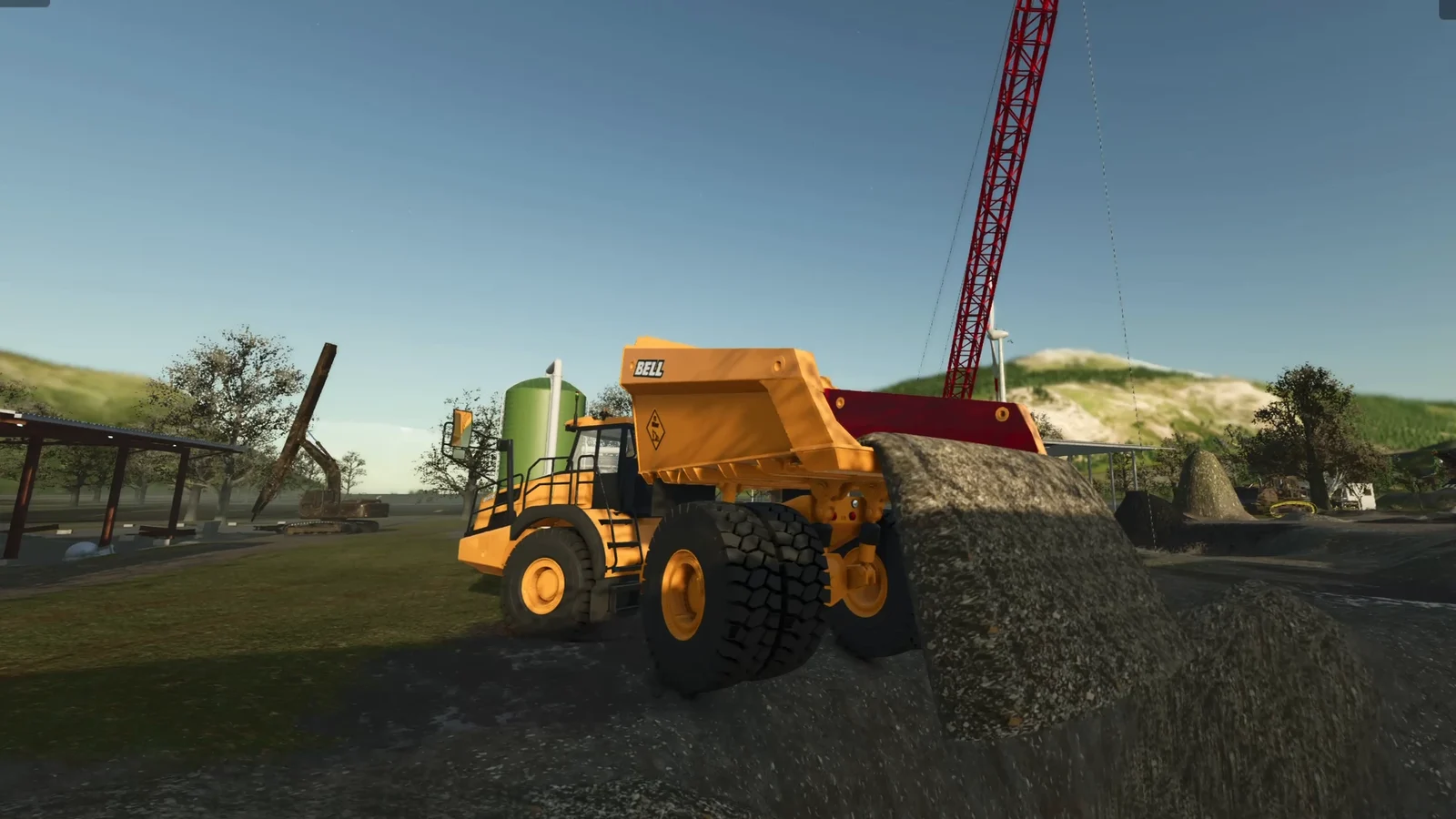
In the base game the terrain only changes through the landscaping tool in the build menu. An excavator there only picks up what lies around as a heap, and the ground below stays the same. TerraFarm changes that: the bucket lowers the ground, the load goes into the truck, and wherever you dump it, a mound grows. At FS Modworks we build add-ons for it and test every TerraFarm version in game. Here is everything you need to get started.
What TerraFarm does in FS25
TerraFarm connects vehicles to the terrain. An activated machine changes the ground height while it works and creates real material from it. The developer scfmod puts it like this: shape your land with the equipment of your choice, instead of the landscaping tool or fill types dumped on the ground.
Every machine has two sides:
- Input (terraform): what happens when the tool goes into the ground, for example lower, grade, smooth or paint a ground texture.
- Output (discharge): what happens when the load is dumped, for example raise. The load then turns into terrain instead of a heap.
TerraFarm sorts tools into machine types: excavator, shovel, leveler, compactor, ground ripper and trencher. The type decides which modes a machine has. A roller, for example, grades and smooths but does not dig.
How to install TerraFarm in FS25
Step 1: Download the zip from GitHub
Download the latest FS25_0_TerraFarm.zip from the developer's release page on GitHub. The mod is free, and scfmod explicitly asks people not to upload it to paid download services. Get it straight from there and you also know you have the current version.
Step 2: Put it in the mods folder
Copy the zip, still packed, to Documents/My Games/FarmingSimulator2025/mods. Do not rename it. Other mods address TerraFarm by exactly this name (FS25_0_TerraFarm.machine), and with a new file name none of them find their machines any more.
Step 3: Add more machines
For tools from mods there is the official TerraFarm Machines addon (FS25_0_TerraFarmMachines.zip), also free on GitHub. It brings configurations for mod vehicles that know nothing about TerraFarm themselves. It goes into the same mods folder.
Step 4: Enable it in your savegame
Start FS25, select TerraFarm and, if you use it, the addon when loading your savegame, and load it. That is all. How a mods folder works in general and where to find log.txt is covered in our guide creating FS25 mods.
TerraFarm supported machines
Out of the box TerraFarm supports these 12 base game tools:
| Tool | Type |
|---|---|
| Albutt front loader bucket | Shovel |
| Magsi telehandler bucket | Shovel |
| Magsi wheel loader bucket | Shovel |
| McCormack overtipping bucket | Shovel |
| Paladin high dump bucket | Shovel |
| Prinoth Leitwolf Agripower | Leveler |
| Volvo L120H general purpose, high tip and rock bucket | Shovel |
| Volvo L180H general purpose, high tip and rock bucket | Shovel |
The Machines addon adds, among others, Excavator Attachments and the Excavator Tool Pack from the ModHub, Fiat-Allis AD9, JCB 714, the JCB backhoe loader, JCB Hydradig 110W and the Volvo Pack with DR631 and LM841, plus mods such as the Cat D11, Case CX35B, Doosan DX225LC, Cat D6T2, John Deere 650K and the Gjerstad Pack.
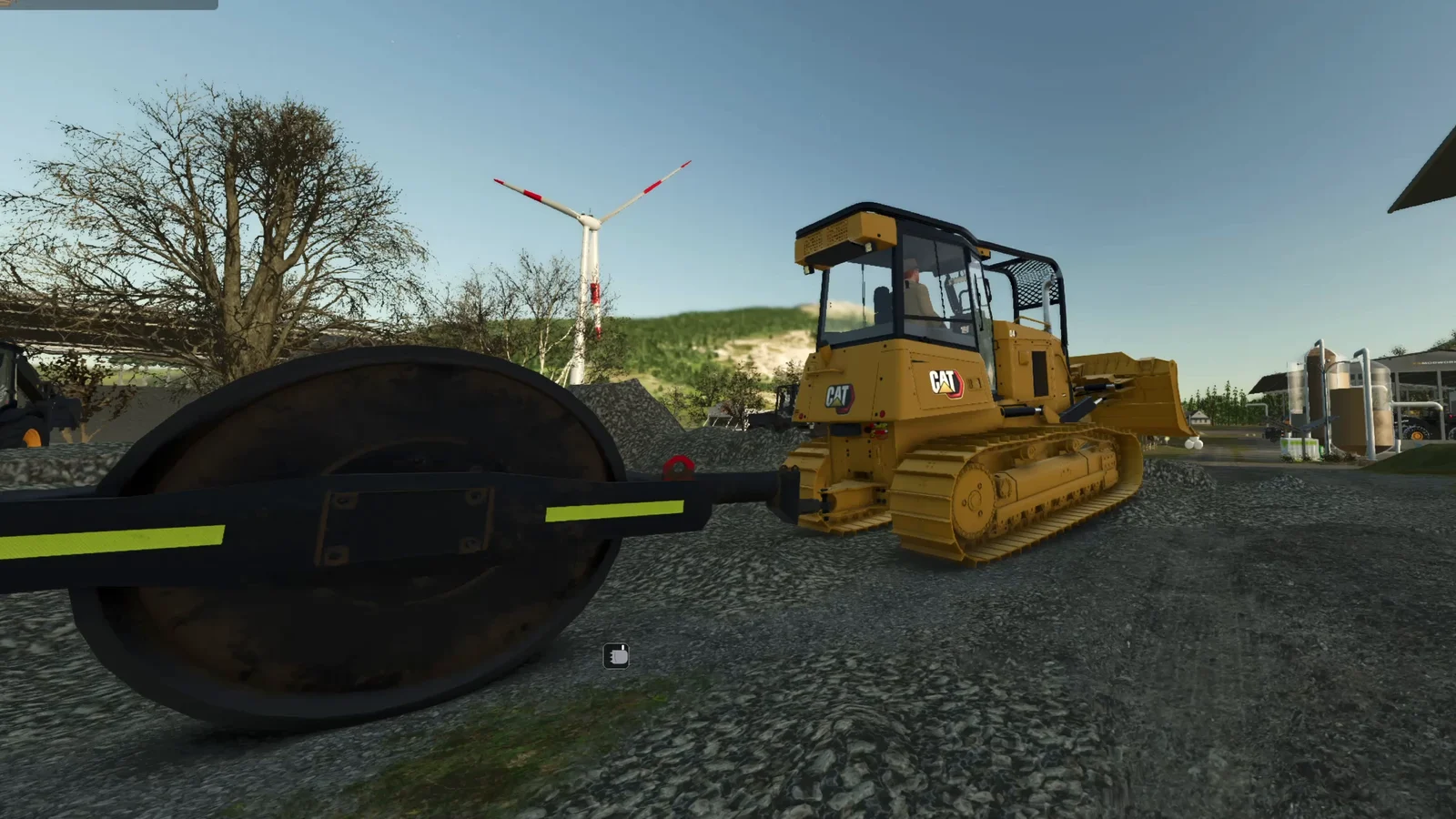
Anything missing from both lists is unknown to TerraFarm. That is why we built Dig With Anything: it turns every tipper, bucket, blade and grapple into a TerraFarm machine, no config file needed. Rollers included.
TerraFarm controls and HUD
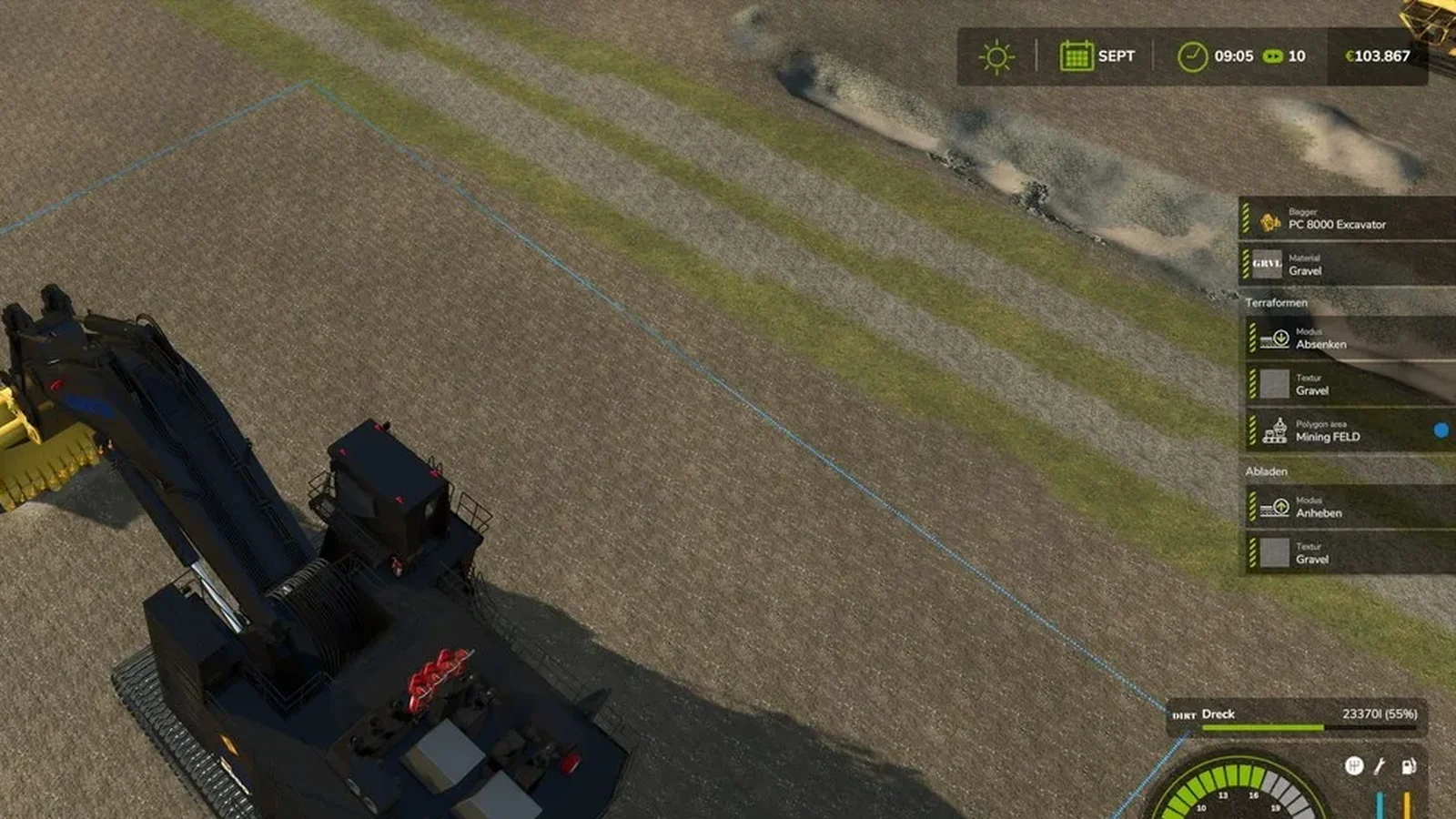
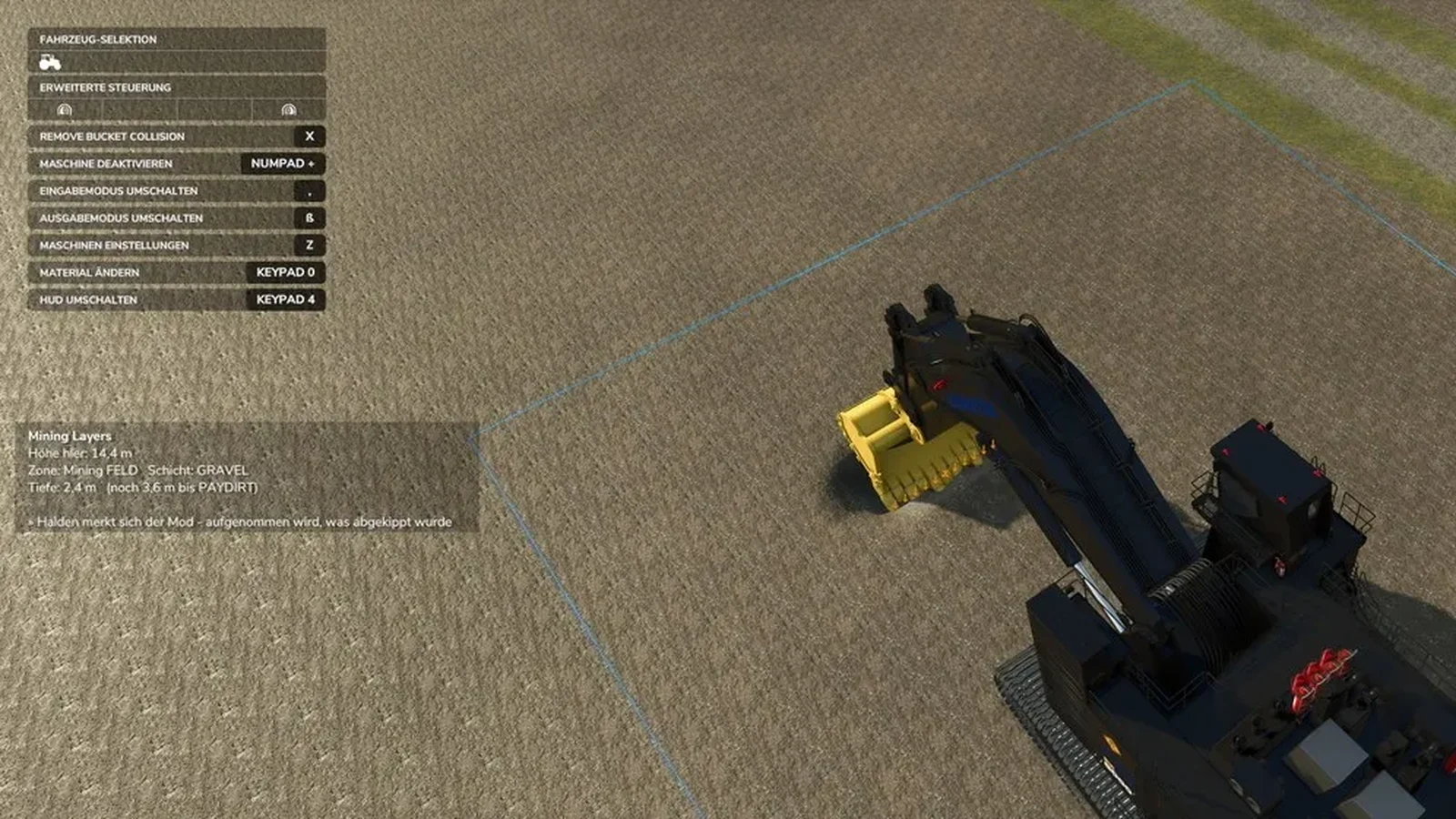
Get into a supported tool. The TerraFarm HUD appears on the right with the machine name, material, input mode with its texture, and output mode. The keys show up in the help at the top left as soon as you sit in the machine.
| Action | Default key |
|---|---|
| Activate / deactivate machine | O |
| Open machine settings | Y |
| Toggle input mode | , (comma) |
| Toggle output mode | - (minus) |
| Open material dialog | Num 0 |
| Open ground texture dialog | Num . |
| Open global settings | Num 9 |
| Toggle HUD | Num 4 |
The defaults are made for a US keyboard. On a German keyboard, for example, machine settings land on Z and the output mode on ß, as in the screenshot below. You can rebind everything under Settings, Controls. In the screenshot, "deactivate machine" has been moved to Num +.
How to dig your first hole
- Activate the machine with O. The HUD shows it as active.
- Set the input mode to lower with the comma key.
- Pick the material the dig should create with Num 0, for example dirt or gravel.
- Drive the bucket into the ground. The terrain sinks and the bucket fills.
- Set the output mode to raise with the minus key and dump at the target spot. The load becomes a mound in the terrain.
Landscaping areas instead of the surveyor
The surveyor has been gone since version 1.3.0.0. Landscaping areas took its place. You create them in the machine settings:
- Path area: points that form a path with different heights, for a ramp or a road.
- Polygon area: a shape made of points with one target height, for a level pad.
When an area is assigned to a machine, it only works inside it and only down or up to the target height. In the screenshot at the top, the excavator digs inside a polygon area called "Mining FELD", the blue line is its edge. For terraces, berms and clean edges this is the most important feature in TerraFarm.
Materials, maps and multiplayer
Materials
TerraFarm adds no fill types of its own. It uses everything available on the map, including fill types from other mods. In the material settings you decide which ones players may pick.
Maps with resources
map makers can build areas with resources into their map. On such a map an extra option appears in the global settings, and each machine can switch it on or off. The ground then gives gravel in one place and sand in another, as the map maker defined it.
TerraFarm in multiplayer
TerraFarm fully supports multiplayer. To use a machine, a player needs landscaping permission, has to be farm manager or needs admin access. Farm managers can disable and enable the machines their farm owns, admins control the global settings.
More depth: layers in the ground
By default the ground in TerraFarm is the same material all the way down. Our free add-on Mining Layers gives it layers: topsoil on top, gravel below, the pay seam at the bottom. The deeper you dig, the more the material changes, and the HUD shows how far it is to the next layer. You do not need a drawn area, the layers follow the terrain anywhere on the map.
TerraFarm not working: common problems
| Problem | Cause | Fix |
|---|---|---|
| The tool does not dig, no TerraFarm HUD | The tool has no TerraFarm configuration | Install the Machines addon or use Dig With Anything |
| HUD is there, but the terrain stays the same | Machine not activated or wrong input mode | Activate with O, set the input mode to lower |
| All addon machines suddenly missing | The TerraFarm zip was renamed | Restore the original name FS25_0_TerraFarm.zip |
| Nothing happens in multiplayer | No landscaping permission | Get the permission or become farm manager |
| Machine will not dig outside an area | A landscaping area is assigned | Remove or adjust the area in the machine settings |
| Mod missing on PS5 or Xbox | Script mods do not run on consoles | PC only |
| Landscaping areas gone after loading | Known issue with the Xbox Game Pass version on PC | Use the Steam or GIANTS version |
| Tire tracks stay in multiplayer | The game does not sync tire tracks | Known visual issue, no effect on play |
If none of this helps: test on a base game map with no other mods and check log.txt. According to scfmod, bugs are best reported on GitHub, with steps to reproduce and without a huge log.txt full of unrelated warnings.
Frequently asked questions
Does TerraFarm work on PS5 or Xbox?
No. TerraFarm is a script mod, and script mods are not available on consoles in Farming Simulator 25. The developer scfmod says the same in his FAQ.
Which machines work with TerraFarm in FS25?
Out of the box, 12 base game tools, including the Volvo L120H and L180H wheel loader buckets, the Magsi buckets and the Prinoth Leitwolf Agripower. The free TerraFarm Machines addon adds mods such as JCB, Fiat-Allis AD9, Volvo DR631 and Cat D11. For any other tool there is Dig With Anything.
What happened to the TerraFarm surveyor?
The surveyor was removed in version 1.3.0.0. Landscaping areas replaced it: you draw a path or a polygon with a target height, and the machine only works inside it.
Why is TerraFarm not working when I dig?
Usually the machine is not activated, the tool has no TerraFarm configuration, or you lack landscaping permission in multiplayer. Check the HUD on the right first: if no machine name shows up, TerraFarm does not know the tool.
Does TerraFarm add its own materials?
No, TerraFarm adds no fill types. It uses every material available on the map, including fill types from other mods. In the material settings you decide which ones players may pick.