Now for members
FS25 FSMW Emperor 9000 Combine Harvester
Freshly released 🎉
16 build shots in the workshop show how this machine came together. FSMW Emperor 9000 in the workshop
Videos about FSMW Emperor 9000
Videos by us and from the community. Clicking loads YouTube.

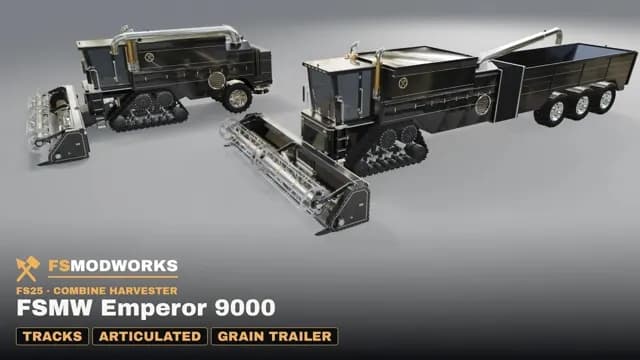
Most pictures are rendered in Blender from our model, two are in-game shots. The trailer in some of them is not in version 1 yet.
FSMW Emperor 9000: what it does in FS25
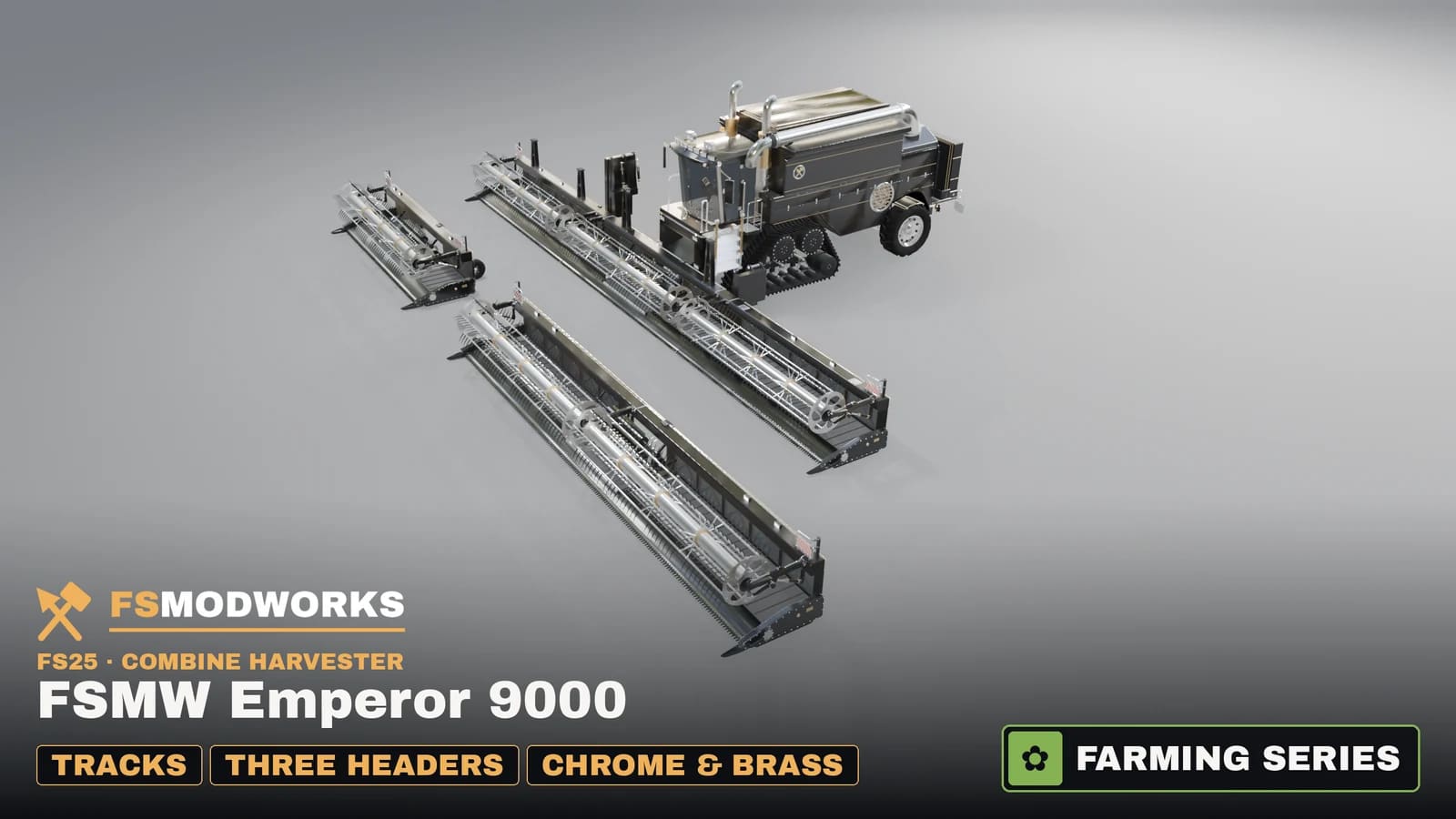
Mining trucks we can do. Now the fields have their emperor. The FSMW Emperor 9000 is a combine harvester for Farming Simulator 25, gloss black with thin brass lines and plenty of chrome. Up front it runs on tracks, at the back the wheels steer, and two chrome exhausts stand straight up.
Version 1 is the Solo: the combine without the trailer. 690 hp, a grain tank of 17,900 litres and 1,250 litres of diesel, up to 40 km/h forwards and 12 km/h in reverse.
Up front there are three draper headers, each sold on its own in the shop: 6.90 m, 13.80 m and 20.70 m, and the big one folds.
In the shop you pick the paint: gloss black as standard, the base-game colours, a colour picker or one of ten camo patterns, from woodland to snow grey. The header comes in black, white or a colour from the list.
In the cab the wipers clear the rain, the map shows on the monitor and a screen gives you the rear camera. Left Alt + O opens the driver's door, Left Ctrl + O swings the unloading pipe. Everything else sits on the base-game keys.
Grab the Download Key along with the zip and put the .xml next to the zip in your mods folder. Without the key the combine will not drive and will not unload.
What comes next: the articulated joint with the bellows and the grain trailer on three steered axles. They follow once they hold up to our own testing.
FSMW Emperor 9000 changelog
FSMW Emperor 9000: questions and answers
FSMW Emperor 9000: I use FSG Mod Assistant or several mod folders. Where does the key file go?
Put the key file (.xml) once into Documents/My Games/FarmingSimulator2025/modSettings/FSMW/ (create the FSMW folder yourself). It then works for every mod folder, even when FSG Mod Assistant switches folders. If the key file sits in your mods folder, FSG Mod Assistant lists it as "Not a mod". That is normal, please don't delete it.
Can I download the FSMW Emperor 9000 for FS25?
Yes. Version 1.0.0.0 of the FSMW Emperor 9000 for FS25 is out as the Solo. Grab the Download Key along with the zip and put the .xml next to the zip in your mods folder, otherwise the combine will not drive or unload.
Which headers does the FSMW Emperor 9000 have in FS25?
Three draper headers for the FSMW Emperor 9000 in FS25, each sold on its own in the shop: 6.90 m, 13.80 m and 20.70 m. The 20.70 m header folds.
Does the FSMW Emperor 9000 come with the trailer in FS25?
Not yet. Version 1 of the FSMW Emperor 9000 for FS25 is the Solo combine. The articulated joint with the bellows and the grain trailer follow later.
How big is the grain tank of the FSMW Emperor 9000 in FS25?
The FSMW Emperor 9000 in FS25 holds 17,900 litres of grain and 1,250 litres of diesel. It has 690 hp and runs up to 40 km/h.
Which keys does the FSMW Emperor 9000 use in FS25?
In the FSMW Emperor 9000 for FS25, Left Alt + O opens the driver's door and Left Ctrl + O swings the unloading pipe. Everything else sits on the base-game keys.
Can I paint the FSMW Emperor 9000 in FS25?
Yes. In the shop the FSMW Emperor 9000 for FS25 comes in gloss black, the base-game colours, a colour picker or one of ten camo patterns. The header comes in black, white or a colour from the list.
Does FSMW Emperor 9000 work in Farming Simulator 25?
Yes. FSMW Emperor 9000 is built for Farming Simulator 25 (FS25), and that is the game it runs in.
More FS25 mods like FSMW Emperor 9000
Download FSMW Emperor 9000 for FS25
You need TWO files — the mod zip and the Download Key. Both go into the same folder.
Push to your phone or PC. Only new FS25 mods, updates and big news.
Important — please read
- Terms and conditions
The terms under which you may use and pass on this mod.
Where does the FSMW Emperor 9000 Download Key go?
Put the downloaded .xml file into your mods folder — the same folder your mod zips live in (Documents/My Games/FarmingSimulator2025/mods). On the next game start the mod picks it up and stores it permanently under modSettings/FSMW/, where it survives every mod update. Nothing to type, nothing to rename.
You can also put the file straight into modSettings/FSMW/ — you will have to create that folder yourself.
Why at all: the key ties your copy to your account, so a re-upload can be traced back. Part of the code in the zip is encrypted for the same reason — the gameplay logic. Not a program, no .exe, no internet access. More in the FAQ