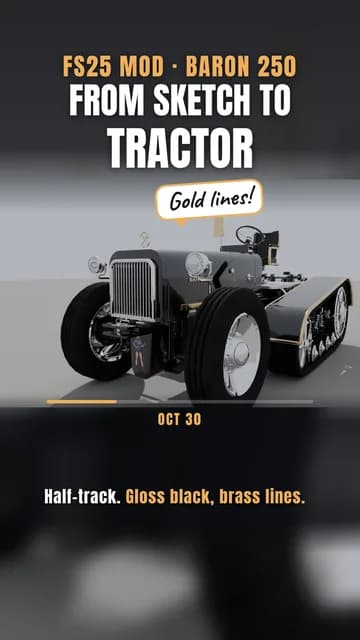
13 build shots in the workshop show how this machine came together. FSMW Baron 250 in the workshop
Videos about FSMW Baron 250
Videos by us and from the community. Clicking loads YouTube.
The cover and two gallery pictures are rendered in Blender, the other three are in-game shots.
FSMW Baron 250: what it does in FS25
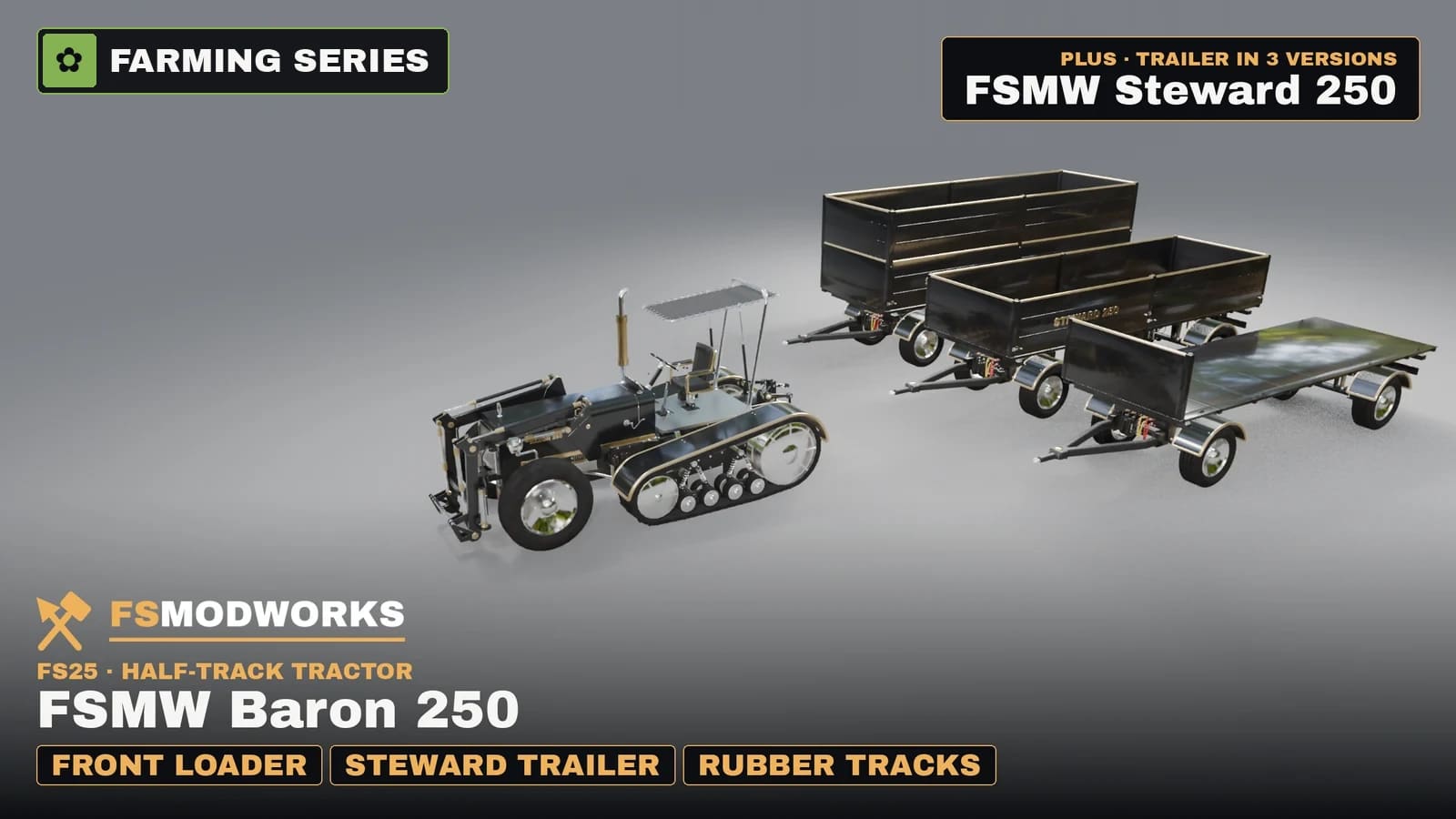
It is here. The FSMW Baron 250 is a half-track tractor for Farming Simulator 25, and it kicks off our FSMW Farming Series. Steered wheels at the front, a rubber track on each side at the back, as one continuous band, with a big drive wheel, an idler and road wheels in chrome.
You sit in the open on a sprung seat with a brass frame that gives about 5 cm when you drive. The gauges work: revs, km/h and temperature, all with needles. The steering wheel is round and has a polished spinner knob. Up front on the tilting hood stands our hood ornament, and BARON 250 is written on both sides in brass.
At the front there is a loader built to the base-game pattern, so the base-game bucket and pallet fork fit right on. On coupling the lock clacks, the stands retract hydraulically and the rear pair disappears. Everything that belongs to the loader stays with the loader when you uncouple, the cylinders have a parking position, and the hoses are round and held with clamps. Please park the loader with the front wheels straight. Bought as a Baron option, the loader wears the Baron's colour; bought on its own, it keeps its own.
As a third front option there is a front linkage on a swivel head: a real slewing ring, a front PTO and two hydraulic pairs, with the lower links pointing forward to the implement.
At the back: a three-point hitch, a PTO stub, a drawbar jaw and a small ball hitch. Dirt shows on the track belt, the canopy, the floor, the hoses, the engine and the grille, while chrome, brass and glass stay clean.
The Steward 250 trailer is in the same zip, in three versions: double sides for 100,000 litres, single sides for 50,000 litres and a flat bed for 20,000 litres. Tip it and you see the load pour out. Body colour and rim colour can be picked in the shop.
Where it stands: this is version 1.0.0.0, and we are proud of it. If something catches your eye while driving, tell us in the comments. Download the Download Key together with the zip, otherwise the functions stay locked.
FSMW Baron 250 changelog
FSMW Baron 250: questions and answers
FSMW Baron 250: I use FSG Mod Assistant or several mod folders. Where does the key file go?
Put the key file (.xml) once into Documents/My Games/FarmingSimulator2025/modSettings/FSMW/ (create the FSMW folder yourself). It then works for every mod folder, even when FSG Mod Assistant switches folders. If the key file sits in your mods folder, FSG Mod Assistant lists it as "Not a mod". That is normal, please don't delete it.
Can I download the FSMW Baron 250 for FS25 already?
Yes. The FSMW Baron 250 for Farming Simulator 25 is out as release 1.0.0.0, with the Steward 250 trailer in three versions. Download the Download Key together with the zip.
Which tools fit the front loader of the FSMW Baron 250 in FS25?
The base-game bucket and pallet fork fit, because the loader of the FSMW Baron 250 is built to the base-game pattern in FS25. Our own bucket may follow later.
Does the FSMW Baron 250 drive on tracks in FS25?
Yes and no: the FSMW Baron 250 for Farming Simulator 25 is a half-track tractor, with steered wheels at the front and a rubber track on each side at the back.
Does FSMW Baron 250 work in Farming Simulator 25?
Yes. FSMW Baron 250 is built for Farming Simulator 25 (FS25), and that is the game it runs in.
Download FSMW Baron 250 for FS25
You need TWO files — the mod zip and the Download Key. Both go into the same folder.
Push to your phone or PC. Only new FS25 mods, updates and big news.
Important — please read
- Terms and conditions
The terms under which you may use and pass on this mod.
Where does the FSMW Baron 250 Download Key go?
Put the downloaded .xml file into your mods folder — the same folder your mod zips live in (Documents/My Games/FarmingSimulator2025/mods). On the next game start the mod picks it up and stores it permanently under modSettings/FSMW/, where it survives every mod update. Nothing to type, nothing to rename.
You can also put the file straight into modSettings/FSMW/ — you will have to create that folder yourself.
Why at all: the key ties your copy to your account, so a re-upload can be traced back. Part of the code in the zip is encrypted for the same reason — the gameplay logic. Not a program, no .exe, no internet access. More in the FAQ