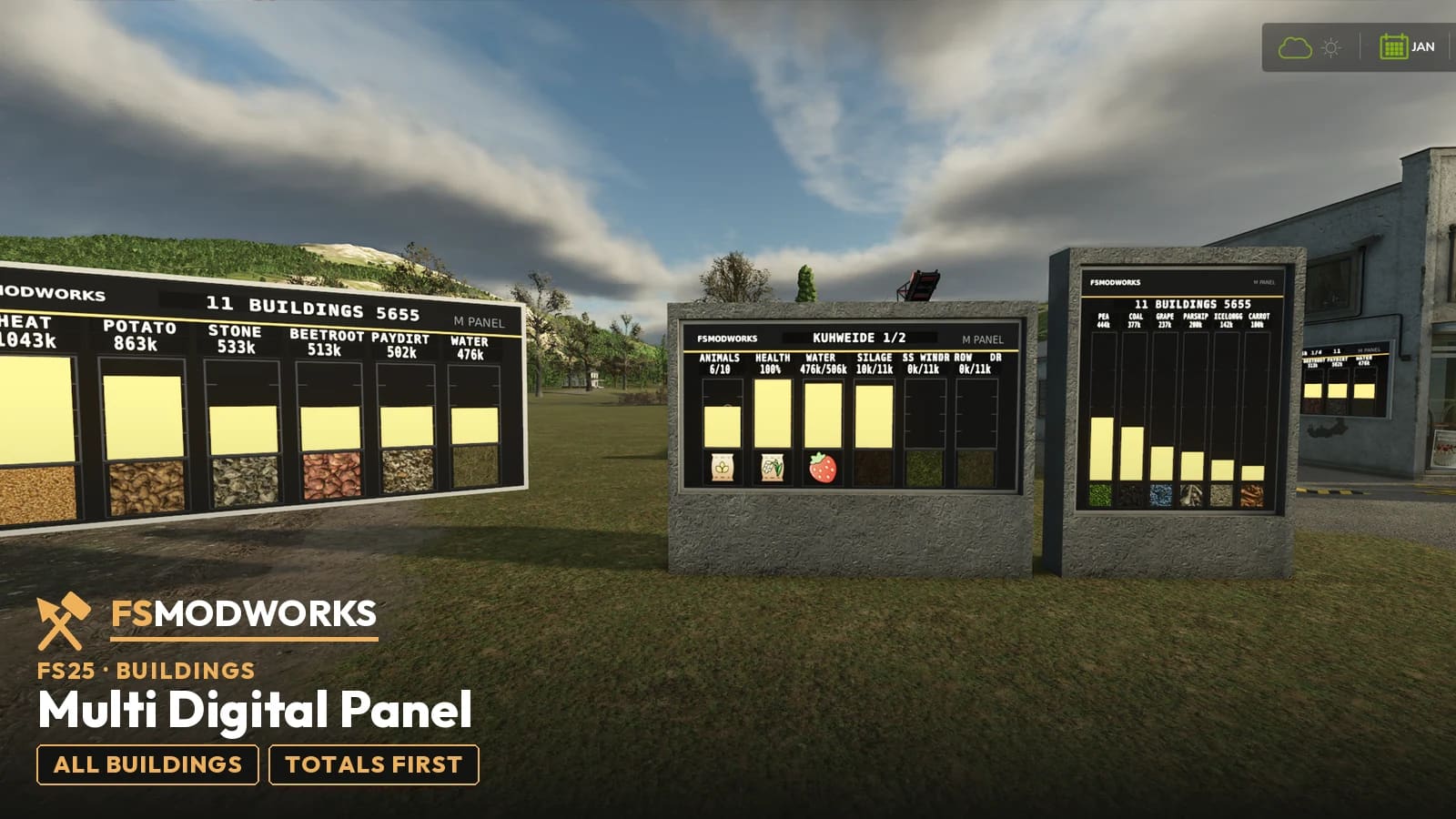
What does the Multi Digital Panel do?
Two things. First it adds up the whole farm: every stock from every building — materials, feed, stones, finished products — plus the barns with animal count and health. Second, it shows each building on its own page; Num 6 pages through them. You read all of it wherever the panel stands or hangs, no matter how far away the building itself is.
What it does
Function one: the whole farm on one page
Page one is the total. Everything that sits in any building on the farm, added up by type: materials, feed, stones, finished products. The barns report in as well — animal count and health stand right next to the goods. On the screenshots that is one line for eleven buildings; you see at a glance what the farm actually holds.
Function two: every building on its own, from a distance
After the total comes one page per building — the silo hall, the glass silo, the cow pasture. A short press on Num 6 turns the page, holding it pages automatically; a building with many values gets a second page, the display shows 1/2. And because the panel fetches the data instead of standing next to it, you place it where you need it: at the yard, on the workshop wall. The building itself can sit at the far end of the map. In the shop the three entries are FSMW Multi Digital Panel Farm - Wall, FSMW Multi Digital Panel Farm - Pylon Wide and FSMW Multi Digital Panel Farm - Stand.
Part of the membership
The Multi Digital Panel is part of the membership, like the Director's Cut — the display that turns single readouts into a farm overview. The free Digital Panel stays available for everyone: one building, the nearest one.
Changelog
Questions and answers
FSMW Multi Digital Panel: I use FSG Mod Assistant or several mod folders. Where does the key file go?
Put the key file (.xml) once into Documents/My Games/FarmingSimulator2025/modSettings/FSMW/ (create the FSMW folder yourself). It then works for every mod folder, even when FSG Mod Assistant switches folders. If the key file sits in your mods folder, FSG Mod Assistant lists it as "Not a mod". That is normal, please don't delete it.
What is the difference between the Multi Digital Panel and the free Digital Panel?
The free panel shows one building, the nearest one. This one reads them all: page one is the farm total, after that comes one page per building. And it knows more than fill levels — barns report animal count and health.
What is on the first page of the Multi Digital Panel?
The total. Everything from every building, added up by type: materials, feed, stones, finished products. One glance tells you what the farm holds.
How do I page through the buildings on the Multi Digital Panel?
Num 6: a short press turns the page, holding it switches to automatic paging. A building with many values gets a second page — the display shows 1/2.
Does the Multi Digital Panel read buildings from a distance?
Yes — the Multi Digital Panel stands or hangs wherever you put it and reads every building from a distance. One panel at the yard is enough to keep an eye on the silo hall at the far edge of the map.
Is the Multi Digital Panel free?
No — it is part of the membership, like the Director's Cut. It carries the usual Download Key gate: pull your key, drop the .xml next to your mods, done. The simple Digital Panel stays free for everyone.
Does FSMW Multi Digital Panel work in Farming Simulator 25?
Yes. FSMW Multi Digital Panel is built for Farming Simulator 25 (FS25), and that is the game it runs in.
Related products
Download options
You need TWO files — the mod zip and the Download Key. Both go into the same folder.
Push to your phone or PC. Only new FS25 mods, updates and big news.
Important — please read
- Terms and conditions
The terms under which you may use and pass on this mod.
Where does the Download Key go?
Put the downloaded .xml file into your mods folder — the same folder your mod zips live in (Documents/My Games/FarmingSimulator2025/mods). On the next game start the mod picks it up and stores it permanently under modSettings/FSMW/, where it survives every mod update. Nothing to type, nothing to rename.
You can also put the file straight into modSettings/FSMW/ — you will have to create that folder yourself.
Why at all: the key ties your copy to your account, so a re-upload can be traced back. Part of the code in the zip is encrypted for the same reason — the gameplay logic. Not a program, no .exe, no internet access. More in the FAQ