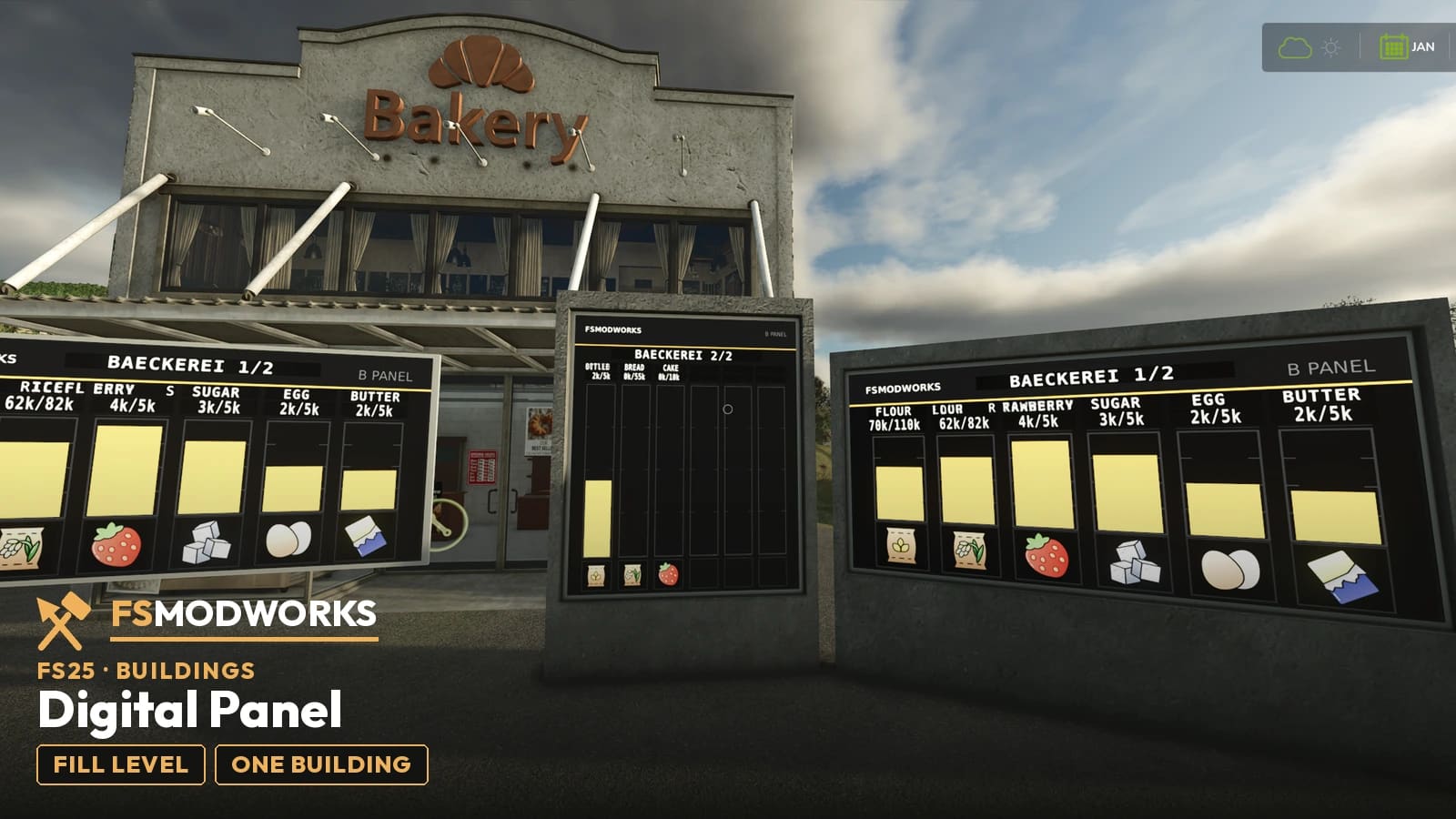
What does the FSMW Digital Panel do?
It shows the contents of the nearest store — silo, production, husbandry or bale storage — as glowing bars with the real material texture, name and amount above each bar, six per page. From the seventh material it pages on its own. It comes as a wall version that sits flat against any wall and a free-standing version.
What it does
Wall or stand
The wall version sits flat against any wall. The stand version is a concrete pylon with the display set upright into it, 1.9 by 2.3 metres — it stands on its own, no posts, no foundation to hide. Both show the same thing: what the nearest store holds, as a bar per material with its texture, its name and the quantity written out. In the shop you will find three entries: FSMW Digital Panel Building - Wall, FSMW Digital Panel Building - Pylon Wide and FSMW Digital Panel Building - Stand.
Changelog
Questions and answers
FSMW Digital Panel: I use FSG Mod Assistant or several mod folders. Where does the key file go?
Put the key file (.xml) once into Documents/My Games/FarmingSimulator2025/modSettings/FSMW/ (create the FSMW folder yourself). It then works for every mod folder, even when FSG Mod Assistant switches folders. If the key file sits in your mods folder, FSG Mod Assistant lists it as "Not a mod". That is normal, please don't delete it.
Which store does the FSMW Digital Panel show?
The nearest one. It binds itself on placement to the closest store — silo, production, husbandry or bale storage — so you place it and it works, without setting anything.
What does the Digital Panel do with more than six materials?
Six slots fit on a page. From the seventh material the panel pages on by itself, so nothing is hidden.
Digital Panel as wall version or stand?
Both are in the pack. The wall version sits flat against any wall. The stand version is a concrete pylon, 1.9 by 2.3 metres, with the display set upright into the face — put it down and it stands.
Does FSMW Digital Panel work in Farming Simulator 25?
Yes. FSMW Digital Panel is built for Farming Simulator 25 (FS25), and that is the game it runs in.
Download options
You need TWO files — the mod zip and the Download Key. Both go into the same folder.
Push to your phone or PC. Only new FS25 mods, updates and big news.
Important — please read
- Terms and conditions
The terms under which you may use and pass on this mod.
Upgrade
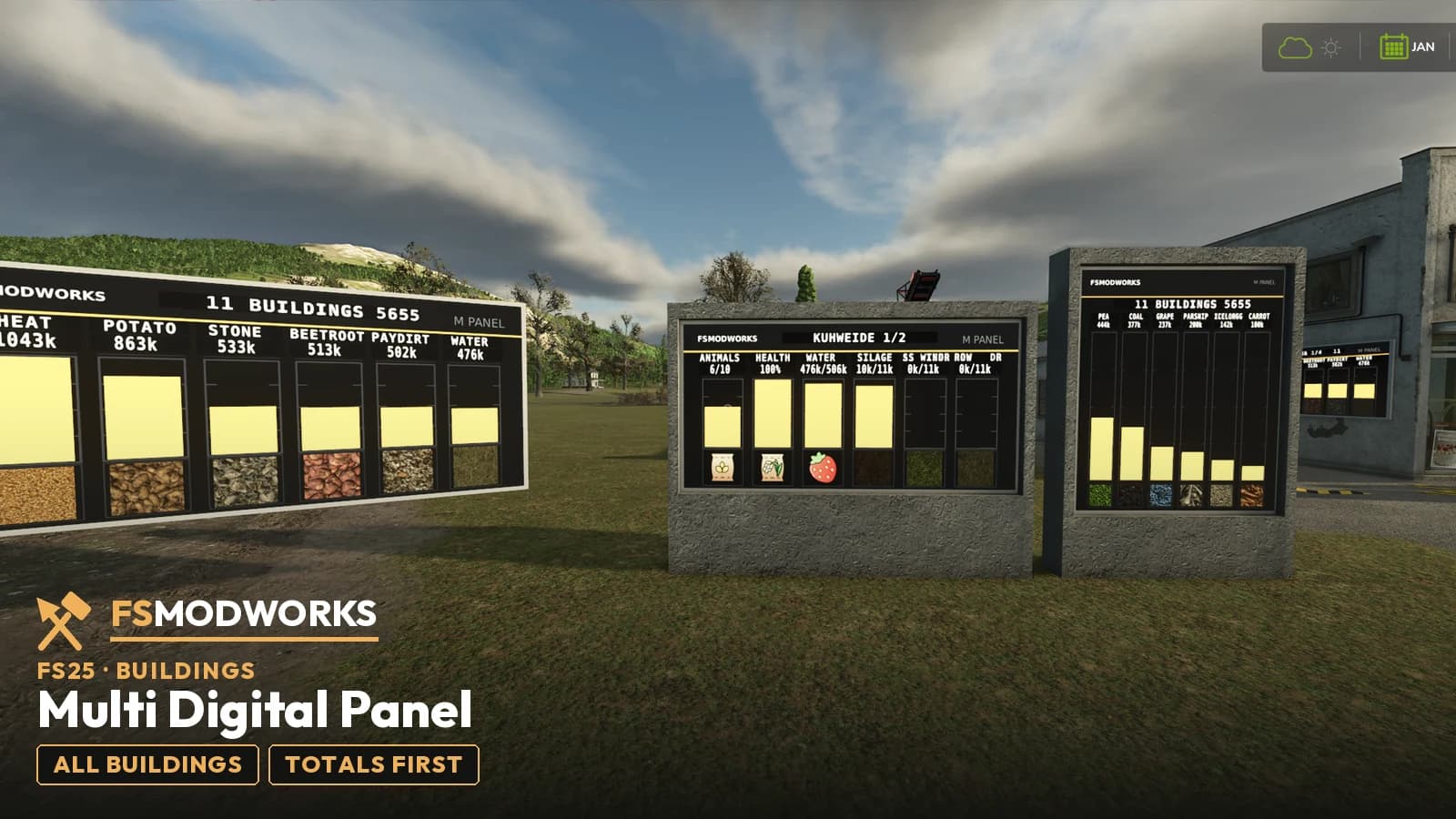
FSMW Multi Digital Panel
One panel for the whole farm: the total across every building first, then each one on its own — down to the barn with animal count and health.
Take a lookWhere does the Download Key go?
Put the downloaded .xml file into your mods folder — the same folder your mod zips live in (Documents/My Games/FarmingSimulator2025/mods). On the next game start the mod picks it up and stores it permanently under modSettings/FSMW/, where it survives every mod update. Nothing to type, nothing to rename.
You can also put the file straight into modSettings/FSMW/ — you will have to create that folder yourself.
Why at all: the key ties your copy to your account, so a re-upload can be traced back. Part of the code in the zip is encrypted for the same reason — the gameplay logic. Not a program, no .exe, no internet access. More in the FAQ