The reference photo on the left is AI-generated; the model on the right was built from it.
What is the PGA 3D ASSET Claude Code Skill?
The PGA 3D ASSET Claude Code Skill — Picture to Game Ready Asset — turns one reference image into a finished game asset: image, AI mesh, Blender cleanup and decimate, then a hand-written GIANTS i3d export. Every run delivers two packages at once, one for any 3D software and one fitted to the game's vertex limit. The Cascade Bonsai on this site was built with it end to end, 310,343 triangles across four shapes, and it loads in Farming Simulator 25. So were the eleven Gold Trader assets. In plain terms it is an image to 3D model workflow for Claude Code: Tripo AI builds the mesh, Blender and the scripts make it usable. Version 1.0.0 is on this page, in German and English.
Who is the PGA 3D ASSET Claude Code Skill for?
For professionals who build assets every working day, and for hobbyists who take it just as seriously. These are the roles it was written for:
- 3D Asset Artist / 3D Modeler Builds three-dimensional objects, props and items.
- Environment Artist Designs whole worlds, landscapes and buildings.
- Prop Artist Specialises in single, often interactive objects — weapons, crates, furniture.
- Texture Artist / Material Artist Creates the surfaces, materials and textures that go onto the models.
- Character Artist / Character Designer Designs and models characters, enemies, NPCs and creatures.
- Hard Surface Artist Specialises in mechanical objects — robots, armour, vehicles, sci-fi.
Hobby modders and mappers who publish for free are welcome to use it too. Just go in with open eyes: a Claude Code subscription plus the API cost of the AI models adds up faster than it looks — roughly 64 cents per asset in model calls alone, and that is before the first failed run.
What this asset is
What the PGA 3D ASSET Claude Code Skill does
The Picture to Game Ready Asset Claude Code Skill is a written procedure with working scripts, not a program with a button. It covers the whole way: which image model gives a usable reference at what resolution, how the mesh comes back from Tripo, how to find and remove the artefacts it brings, how to decimate without tearing the trunk apart, and how to write a GIANTS i3d by hand when there is no exporter for your Blender version.
The part that took the longest is the part that is worth the most: every dead end is in there, with the log lines that proved it. Two decimate bugs cost a night — they are written up so the next person loses ten minutes instead.
What you need to bring
This is the honest part, and it belongs here rather than in the small print: the PGA 3D Game Claude Skill is not a click-and-done product. You need Claude Code (an Anthropic account), Blender (free, tested with 4.0.2 and 4.5 LTS), the GIANTS Editor with its Texture Tool (free), Farming Simulator 25 for testing, and Python 3 with Pillow, numpy and lxml. On top of that come two paid API accounts of your own — Tripo AI for the mesh, roughly 40 cents per asset without a rig (the free Tripo plan is not for commercial use), and Together AI or another image model for the reference, roughly 24 cents for a 4K image. Linux with Wine is the default path; Windows works once the GIANTS_TEXTURE_TOOL variable points to your install.
So it pays off for someone who wants to build assets regularly, not for one bonsai.
Two deliveries out of one run
Every asset built this way comes out twice from the same decimate pass, at no extra effort: a package for any 3D software and a package tuned for the game, fitted to the vertex limit. Target size, resolution and decimate ratio are parameters, not something welded to FS25 — the same run serves a web viewer or a channel render.
You can see both halves on the Cascade Bonsai page. That is the whole argument: not a description of what the PGA 3D ASSET Claude Code Skill could do, but the thing it did.
What is in the package — and what is not
Version 1.0.0 is one zip with a German and an English edition of the same skill — install one of them, both are called pga. Each holds the SKILL.md, three references (i3d export, choosing the Tripo model, characters with rig and animation clips) and 36 Python scripts. You copy the pga folder to ~/.claude/skills/ and set a handful of environment variables for your API key, the GIANTS Texture Tool and your own brand logo. In the English edition the comments inside the Python scripts are German.
It covers the whole way from a reference image to a game asset: the Tripo AI mesh, Blender cleanup and decimate, the GIANTS i3d with its vertex limit, specular channels and RGB normal map, an engine-independent package with Blender file, FBX and glTF, and a small GLB for a web viewer. Decals, labels, glass and colour variants are in there, and so is a chapter on characters and NPCs with rig and animation clips.
What is not in it: no API keys and no Tripo or Together credit. No finished 3D models or textures — the eleven assets on this site are downloads of their own. No character models and no purchased animation clips; for those there are recipes and scripts, the clips you have to own yourself. No Blender add-on, no click-through interface, and no promise of support. And you may use the skill for your own projects, commercial ones included, but not pass on or sell the skill package itself.
Technical data
- Category
- Tools 3D models
- Creator
- FS Modworks Original
- Version
- 1.0.0
- Updated
- 2026-09-17
- Downloads
- 5
- Support
- FS Modworks forum
What you may do with it
The asset comes under the FSMW Asset Licence 1.0: you may use it in your own mods, maps and projects, published and commercial included, and you may change it. The one condition is that FS Modworks is named in your credits. You may not pass on or sell the package itself.
Read the licence in full →Important — please read
- FSMW Asset License 1.0
What you may build, change and publish with this asset — commercial use included.
- Terms and conditions
They cover membership, downloads and everything else on FS Modworks.
Posts about this asset
- PGA Claude Code Skill 1.0.0 is out: from one image to a game-ready 3D modelThe Claude Code skill that built the bonsai and the eleven Gold Trader assets: reference image, Tripo AI mesh, Blender, GIANTS Editor i3d. 36 scripts, German and English.
Questions and answers
What is the PGA Claude Code skill, and is it one of the Claude skills you install yourself?
Yes. The PGA 3D ASSET Claude Code Skill is a skill folder for Claude Code: a SKILL.md, three references and 36 Python scripts. You copy the pga folder to ~/.claude/skills/, and Claude Code then knows the whole procedure from a reference image to a game-ready 3D asset. It is a working method with scripts, not a program with a button.
Can the PGA Claude Code Skill turn an image into a 3D model?
That is what it is for. The PGA skill takes one reference image, has Tripo AI build the mesh from it, then cleans and decimates it in Blender and writes the GIANTS i3d. Out come two packages: Blender file, FBX and glTF for any engine, and a GIANTS Editor package fitted to the vertex limit of Farming Simulator 25. It is an image to 3D model workflow, not a one-click AI 3D model generator — you steer every step in Claude Code.
What do I need to run the PGA Claude Code Skill — Blender, Tripo AI, GIANTS Editor?
Claude Code with an Anthropic account, Blender (tested with 4.0.2 and 4.5 LTS), the GIANTS Editor with its Texture Tool, Farming Simulator 25 for testing, and Python 3 with Pillow, numpy and lxml. Plus two paid API accounts of your own: Tripo AI for the mesh, around 40 cents per asset without a rig, and Together AI or another image model for the reference, around 24 cents for a 4K image. The free Tripo plan does not allow commercial use.
What is not included in the PGA Claude Code Skill?
No API keys and no Tripo or Together credit. No finished 3D models or textures — the eleven Gold Trader assets are separate downloads. No character models and no purchased animation clips; the skill has recipes and scripts for them, the clips you must own yourself. No Blender add-on, no click-through interface, and no promise of support.
Does the PGA Claude Code Skill only produce assets for FS25 and the GIANTS Editor?
No. Every run produces two packages at once: one for any 3D software (Blender, FBX, glTF) and one tuned for the GIANTS Editor. Target size, texture resolution and decimate ratio are parameters, so the same run serves Unity, Unreal, Godot, a web viewer or a channel render.
Can the PGA Claude Code Skill build characters and NPCs with animation?
It has a chapter for that: character mesh, rig and animation clips, including retargeting scripts and checks for the GIANTS i3d. What it does not ship are the clips and the characters themselves. Animation clips from a library have to be bought by you, and the skill works with what you own.
Does the PGA Claude Code Skill run on Windows?
The default path is Linux, with the GIANTS Texture Tool running under Wine. Windows works as well: you point the GIANTS_TEXTURE_TOOL environment variable to your own install. Blender and Python behave the same on both.
Which roles is the PGA Claude Code Skill written for?
For 3D asset artists and 3D modelers, environment artists, prop artists, texture and material artists, character artists and hard surface artists — anyone who builds props, worlds, surfaces, characters or mechanical objects for a living. Hobby modders and mappers who publish for free can use it as well; the running cost of Claude Code and the AI models is theirs to weigh.
Goes with it
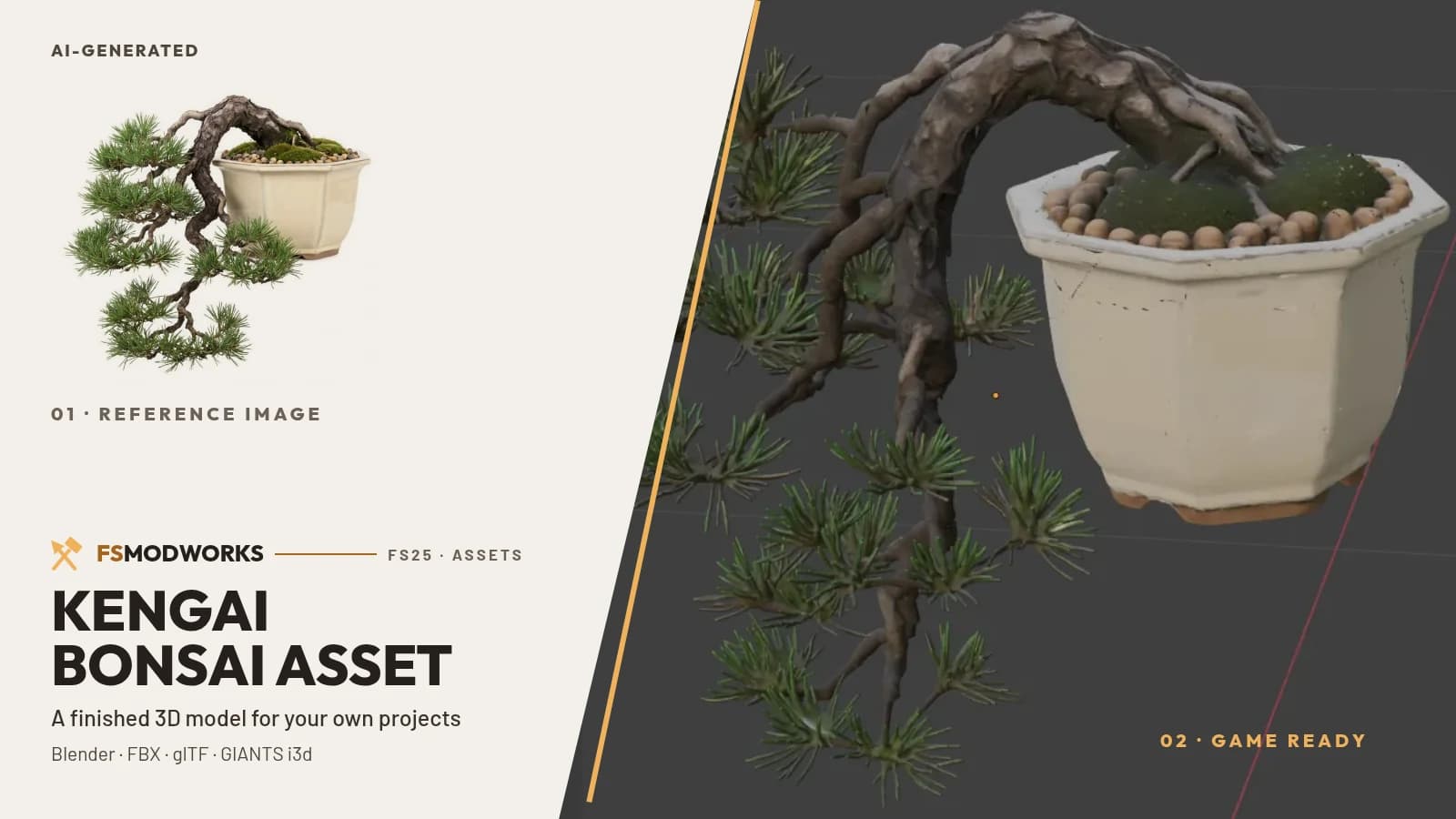 Cascade Bonsai — the asset built with PGA, free in two formats
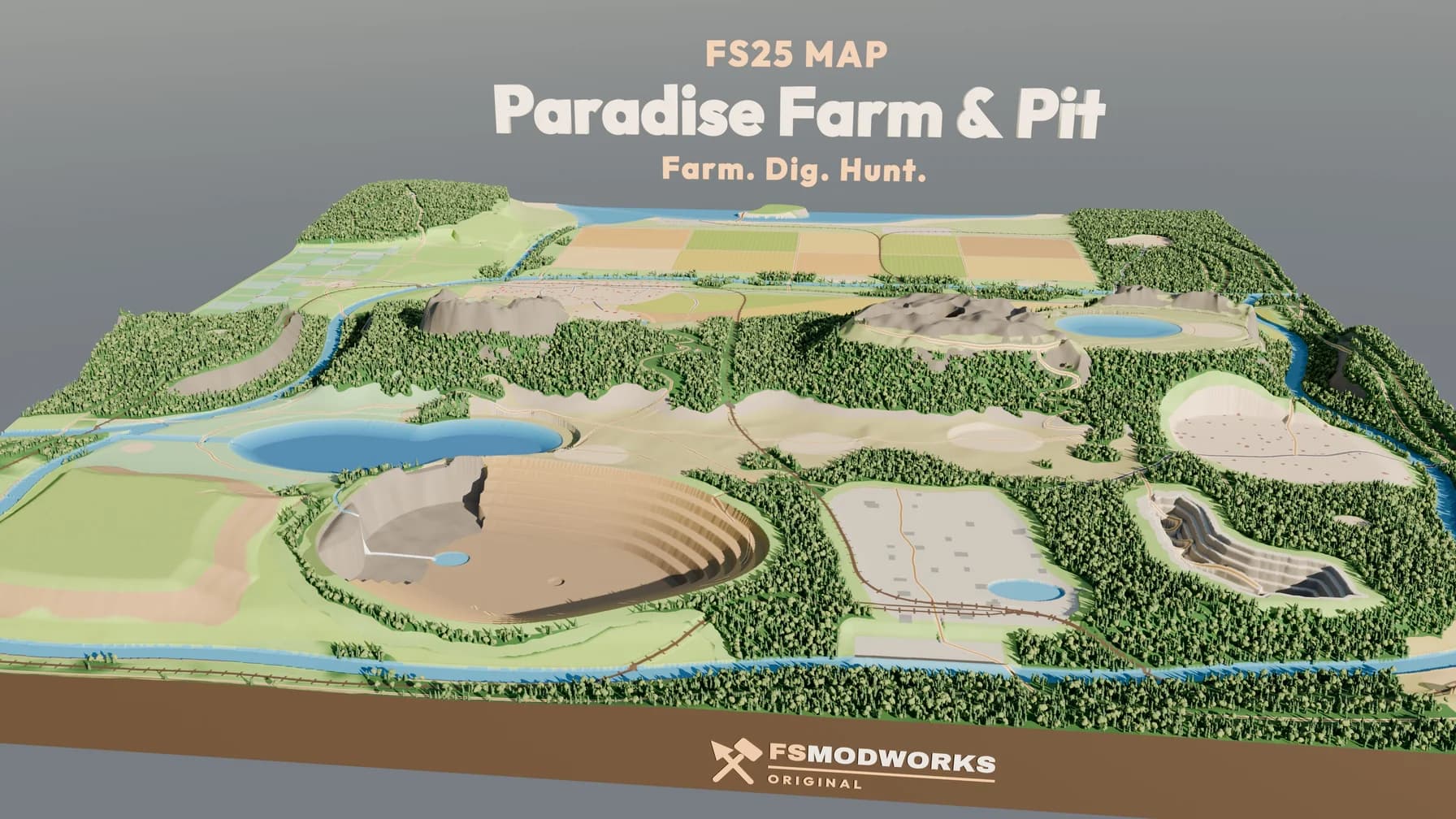 Hof Paradies & Pütt — the map our own assets are being built for
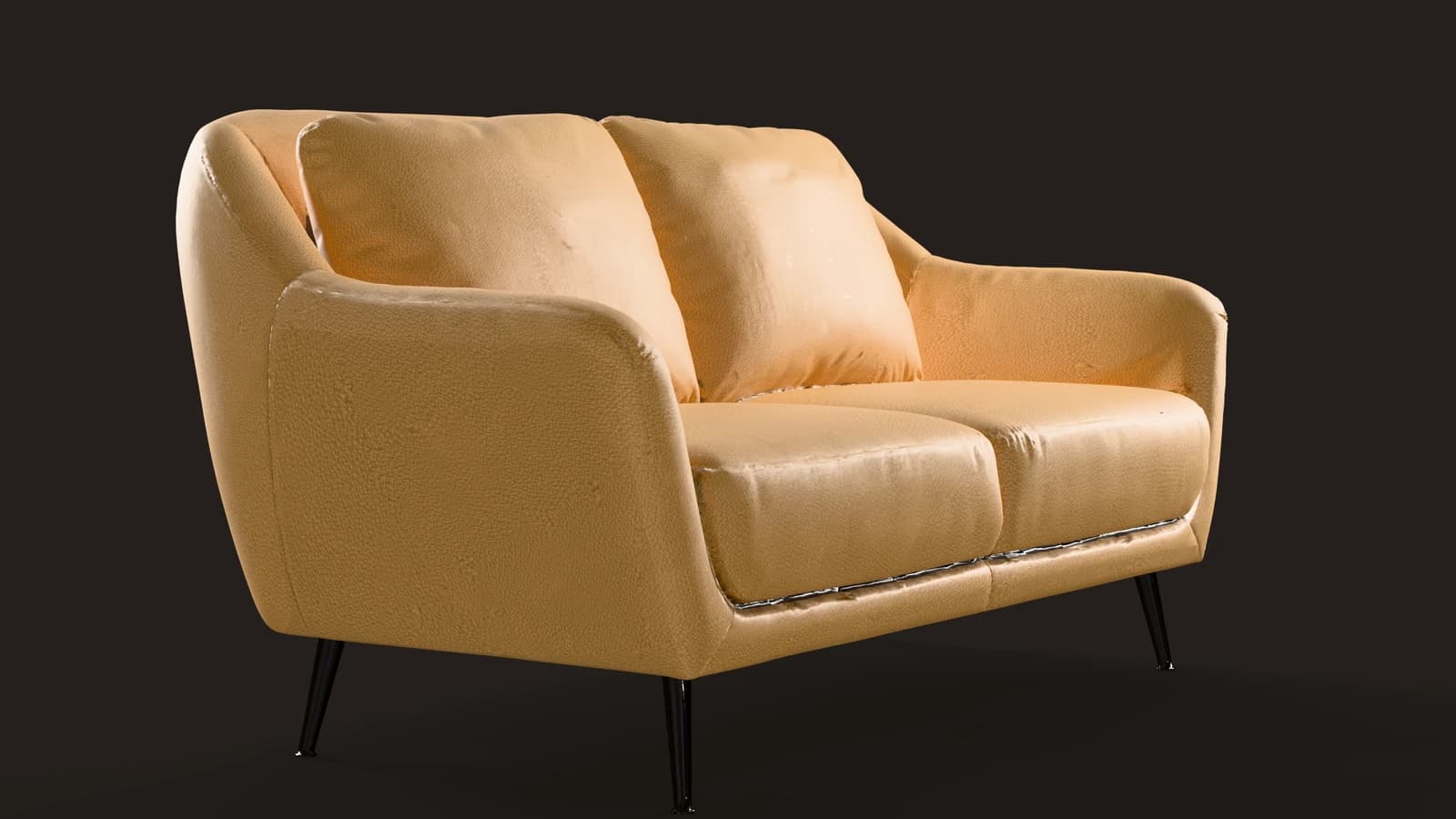 Lounge Sofa — a 3D model built with this skill, five colours from one Tripo AI mesh
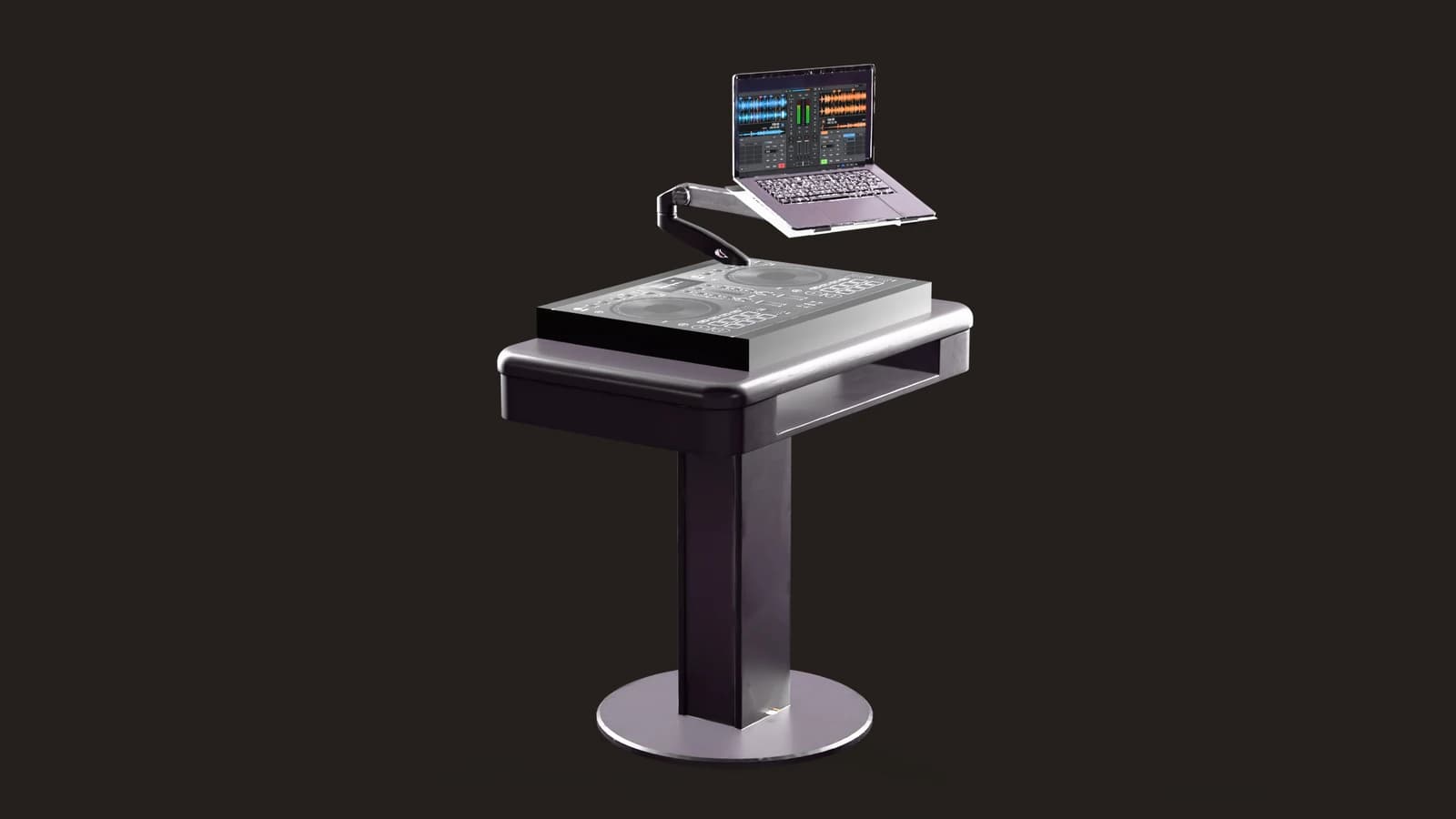 DJ Booth — built with this skill, with decals and a glowing screen in the GIANTS Editor package